
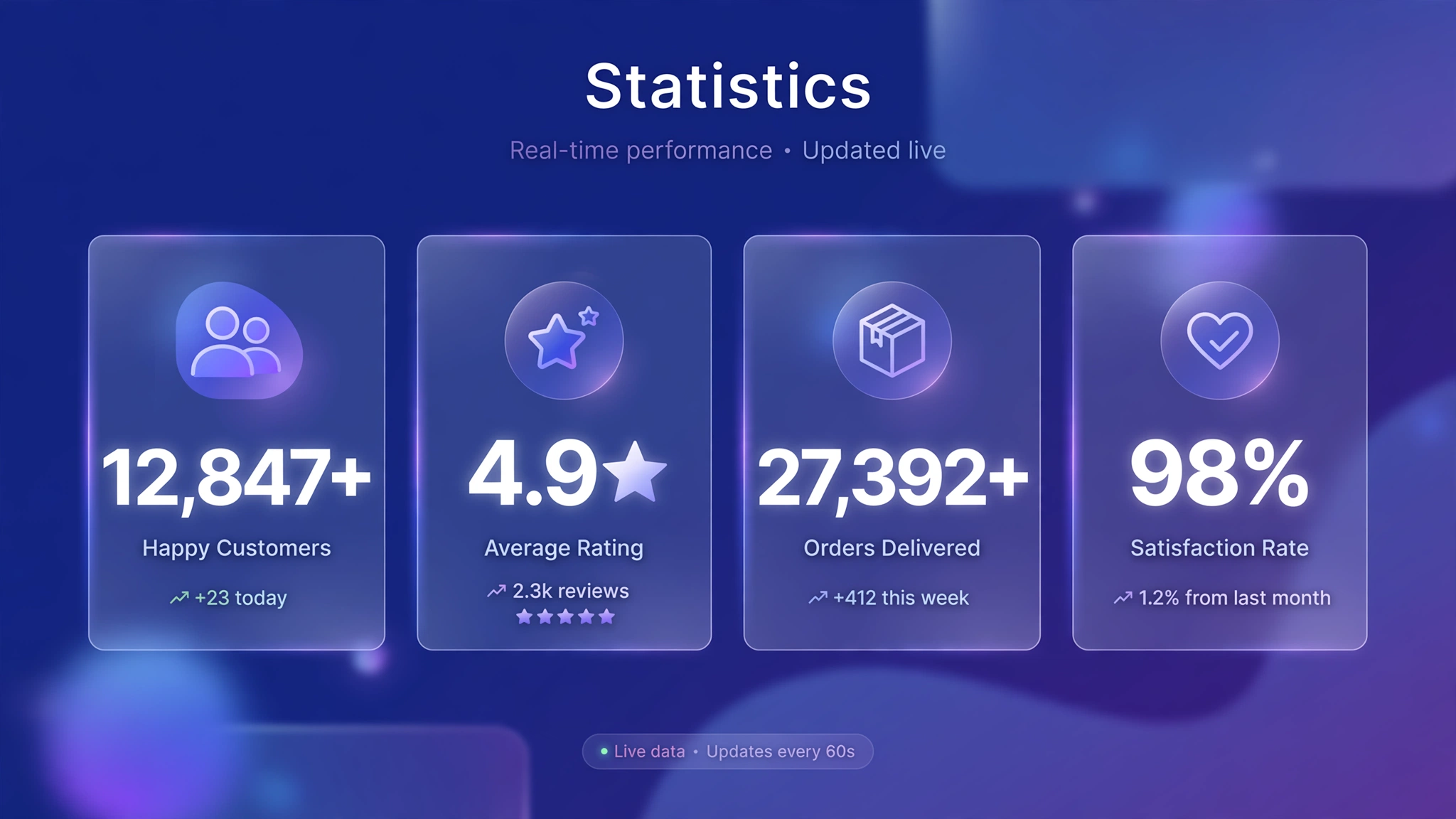
Numbers persuade like nothing else: “25,000+ happy customers” beats “lots of happy customers” every single time. An animated counter counts up from zero when visitors scroll to it — that motion makes the numbers feel earned and impossible to ignore. It’s the closest thing to a live scoreboard for your store’s success.
Here are 6 counter styles — scroll each into view to watch it count live. Copy the code into a Custom Liquid section. The JavaScript uses IntersectionObserver, so counters only animate when visible (and it runs once, not on every scroll).
1. Fashion – Happy Customers Counter
The classic trust battery: customers, orders, countries, rating — counting up in bold black on white. Every number that ticks higher is a tiny dopamine hit that says ‘everyone shops here’. Put it right below your hero and watch bounce rates drop. The ease-out curve makes big numbers land with a satisfying slowdown.
Preview
Happy Customers
Orders Shipped
Countries Served
Average Rating
Scroll into view ☝️ — watch the numbers climb.
Liquid Code
<div class="lk-ct1"><div class="lk-ct1-item" style=""><span class="lk-ct1-num" data-target="25000" data-suffix="+">0</span><p>Happy Customers</p></div><div class="lk-ct1-item" style=""><span class="lk-ct1-num" data-target="120000" data-suffix="+">0</span><p>Orders Shipped</p></div><div class="lk-ct1-item" style=""><span class="lk-ct1-num" data-target="40" data-suffix="+">0</span><p>Countries Served</p></div><div class="lk-ct1-item" style=""><span class="lk-ct1-num" data-target="49" data-suffix="/5">0</span><p>Average Rating</p></div></div>
<style>
.lk-ct1{display:flex;justify-content:center;gap:40px;flex-wrap:wrap;background:#ffffff;padding:50px 20px;border-radius:12px;text-align:center}
.lk-ct1-num{font-size:46px;font-weight:800;color:#111}
.lk-ct1-item p{margin:8px 0 0;font-size:15px;color:#666}
</style>
<script>
(function(){var els=document.querySelectorAll('.lk-ct1-num');
var io=new IntersectionObserver(function(es){es.forEach(function(e){if(e.isIntersecting){run(e.target);io.unobserve(e.target);}});},{threshold:.4});
els.forEach(function(el){io.observe(el);});
function run(el){var t=+el.dataset.target,suf=el.dataset.suffix,dur=1800,st=null;
function step(ts){if(!st)st=ts;var p=Math.min((ts-st)/dur,1);var eased=1-Math.pow(1-p,3);
el.textContent=Math.floor(eased*t).toLocaleString()+suf;if(p<1)requestAnimationFrame(step);}
requestAnimationFrame(step);}})();
</script>
2. Beauty – Soft Stats in Blush
Same psychology, softer dress: counters in dusty rose on blush with delicate serif numerals. Beauty shoppers respond to community proof ('48k five-star reviews') more than corporate stats. The gentle palette keeps it feeling like a recommendation from a friend, not a shareholder report.
Preview
Five-Star Reviews
Clean Ingredients
Beauty Awards
Would Repurchase
Soft counters animating live ☝️.
Liquid Code
<div class="lk-ct2"><div class="lk-ct2-item" style=""><span class="lk-ct2-num" data-target="48000" data-suffix="+">0</span><p>Five-Star Reviews</p></div><div class="lk-ct2-item" style=""><span class="lk-ct2-num" data-target="120" data-suffix="+">0</span><p>Clean Ingredients</p></div><div class="lk-ct2-item" style=""><span class="lk-ct2-num" data-target="15" data-suffix="">0</span><p>Beauty Awards</p></div><div class="lk-ct2-item" style=""><span class="lk-ct2-num" data-target="98" data-suffix="%">0</span><p>Would Repurchase</p></div></div>
<style>
.lk-ct2{display:flex;justify-content:center;gap:40px;flex-wrap:wrap;background:#fdf5f2;padding:50px 20px;border-radius:12px;text-align:center}
.lk-ct2-num{font-size:46px;font-weight:800;color:#9d4e5c;font-family:Georgia,serif}
.lk-ct2-item p{margin:8px 0 0;font-size:15px;color:#666}
</style>
<script>
(function(){var els=document.querySelectorAll('.lk-ct2-num');
var io=new IntersectionObserver(function(es){es.forEach(function(e){if(e.isIntersecting){run(e.target);io.unobserve(e.target);}});},{threshold:.4});
els.forEach(function(el){io.observe(el);});
function run(el){var t=+el.dataset.target,suf=el.dataset.suffix,dur=1800,st=null;
function step(ts){if(!st)st=ts;var p=Math.min((ts-st)/dur,1);var eased=1-Math.pow(1-p,3);
el.textContent=Math.floor(eased*t).toLocaleString()+suf;if(p<1)requestAnimationFrame(step);}
requestAnimationFrame(step);}})();
</script>
3. Electronics – Dark Spec Dashboard
Numbers on near-black with electric cyan — like a mission-control dashboard for your store's success. Tech shoppers love specs, so give them stats with the same energy: units sold, uptime, patents. The tabular numerals keep digits from jittering as they count — a small detail that screams precision.
Preview
Units Sold
Uptime
Patents Filed
Support
Dashboard counters live ☝️ — precision in motion.
Liquid Code
<div class="lk-ct3"><div class="lk-ct3-item" style=""><span class="lk-ct3-num" data-target="500000" data-suffix="+">0</span><p>Units Sold</p></div><div class="lk-ct3-item" style=""><span class="lk-ct3-num" data-target="99" data-suffix="%">0</span><p>Uptime</p></div><div class="lk-ct3-item" style=""><span class="lk-ct3-num" data-target="32" data-suffix="">0</span><p>Patents Filed</p></div><div class="lk-ct3-item" style=""><span class="lk-ct3-num" data-target="24" data-suffix="/7">0</span><p>Support</p></div></div>
<style>
.lk-ct3{display:flex;justify-content:center;gap:40px;flex-wrap:wrap;background:#07070d;padding:50px 20px;border-radius:12px;text-align:center}
.lk-ct3-num{font-size:46px;font-weight:800;color:#00ffcc;font-variant-numeric:tabular-nums}
.lk-ct3-item p{margin:8px 0 0;font-size:15px;color:#666}
</style>
<script>
(function(){var els=document.querySelectorAll('.lk-ct3-num');
var io=new IntersectionObserver(function(es){es.forEach(function(e){if(e.isIntersecting){run(e.target);io.unobserve(e.target);}});},{threshold:.4});
els.forEach(function(el){io.observe(el);});
function run(el){var t=+el.dataset.target,suf=el.dataset.suffix,dur=1800,st=null;
function step(ts){if(!st)st=ts;var p=Math.min((ts-st)/dur,1);var eased=1-Math.pow(1-p,3);
el.textContent=Math.floor(eased*t).toLocaleString()+suf;if(p<1)requestAnimationFrame(step);}
requestAnimationFrame(step);}})();
</script>
4. Food – Warm Order Counter
Meals served, cities covered, average delivery time: food is a volume game and counters prove you're winning it. The warm cream background with burnt-orange numerals feels like a busy, beloved kitchen. '2M+ orders delivered' does more for appetite trust than any food photo.
Preview
Orders Delivered
Cities Covered
Avg. Delivery
Cloud Kitchens
Tasty numbers counting up ☝️.
Liquid Code
<div class="lk-ct4"><div class="lk-ct4-item" style=""><span class="lk-ct4-num" data-target="2000000" data-suffix="+">0</span><p>Orders Delivered</p></div><div class="lk-ct4-item" style=""><span class="lk-ct4-num" data-target="85" data-suffix="+">0</span><p>Cities Covered</p></div><div class="lk-ct4-item" style=""><span class="lk-ct4-num" data-target="28" data-suffix=" min">0</span><p>Avg. Delivery</p></div><div class="lk-ct4-item" style=""><span class="lk-ct4-num" data-target="47" data-suffix="">0</span><p>Cloud Kitchens</p></div></div>
<style>
.lk-ct4{display:flex;justify-content:center;gap:40px;flex-wrap:wrap;background:#fff8e7;padding:50px 20px;border-radius:12px;text-align:center}
.lk-ct4-num{font-size:46px;font-weight:800;color:#c2410c}
.lk-ct4-item p{margin:8px 0 0;font-size:15px;color:#666}
</style>
<script>
(function(){var els=document.querySelectorAll('.lk-ct4-num');
var io=new IntersectionObserver(function(es){es.forEach(function(e){if(e.isIntersecting){run(e.target);io.unobserve(e.target);}});},{threshold:.4});
els.forEach(function(el){io.observe(el);});
function run(el){var t=+el.dataset.target,suf=el.dataset.suffix,dur=1800,st=null;
function step(ts){if(!st)st=ts;var p=Math.min((ts-st)/dur,1);var eased=1-Math.pow(1-p,3);
el.textContent=Math.floor(eased*t).toLocaleString()+suf;if(p<1)requestAnimationFrame(step);}
requestAnimationFrame(step);}})();
</script>
5. Fitness – Aggressive Impact Stats
Transformations, pounds lost, workouts logged — fitness stats should hit like a heavy bag. Black background, red numerals, condensed type: every count-up feels like a rep being cranked out. Use it for coaching programs where the results are the product. Numbers don't lie; let them flex.
Preview
Transformations
Lbs Lost
Workouts Logged
Success Rate
Impact stats hammering up ☝️.
Liquid Code
<div class="lk-ct5"><div class="lk-ct5-item" style=""><span class="lk-ct5-num" data-target="12000" data-suffix="+">0</span><p>Transformations</p></div><div class="lk-ct5-item" style=""><span class="lk-ct5-num" data-target="85000" data-suffix="">0</span><p>Lbs Lost</p></div><div class="lk-ct5-item" style=""><span class="lk-ct5-num" data-target="500000" data-suffix="+">0</span><p>Workouts Logged</p></div><div class="lk-ct5-item" style=""><span class="lk-ct5-num" data-target="97" data-suffix="%">0</span><p>Success Rate</p></div></div>
<style>
.lk-ct5{display:flex;justify-content:center;gap:40px;flex-wrap:wrap;background:#0d0d0d;padding:50px 20px;border-radius:12px;text-align:center}
.lk-ct5-num{font-size:46px;font-weight:800;color:#ff3b3b}
.lk-ct5-item p{margin:8px 0 0;font-size:15px;color:#666}
</style>
<script>
(function(){var els=document.querySelectorAll('.lk-ct5-num');
var io=new IntersectionObserver(function(es){es.forEach(function(e){if(e.isIntersecting){run(e.target);io.unobserve(e.target);}});},{threshold:.4});
els.forEach(function(el){io.observe(el);});
function run(el){var t=+el.dataset.target,suf=el.dataset.suffix,dur=1800,st=null;
function step(ts){if(!st)st=ts;var p=Math.min((ts-st)/dur,1);var eased=1-Math.pow(1-p,3);
el.textContent=Math.floor(eased*t).toLocaleString()+suf;if(p<1)requestAnimationFrame(step);}
requestAnimationFrame(step);}})();
</script>
6. SaaS – Clean Metric Row
Not just for physical products: SaaS-style metric rows (uptime, users, integrations, NPS) work brilliantly for digital products, courses, and memberships. The minimal gray-on-white design with thin dividers looks straight out of a YC pitch deck. Borrow SaaS credibility for your store.
Preview
Uptime
Active Users
Integrations
Net Promoter Score
SaaS metrics counting live ☝️ — pitch-deck polish.
Liquid Code
<div class="lk-ct6">
  <div class="lk-ct6-item"><span class="lk-ct6-num" data-target="99" data-suffix="%">0</span><p>Uptime</p></div>
  <div class="lk-ct6-item"><span class="lk-ct6-num" data-target="150" data-suffix="K+">0</span><p>Active Users</p></div>
  <div class="lk-ct6-item"><span class="lk-ct6-num" data-target="120" data-suffix="+">0</span><p>Integrations</p></div>
  <div class="lk-ct6-item"><span class="lk-ct6-num" data-target="72" data-suffix="">0</span><p>Net Promoter Score</p></div>
</div>
<style>
.lk-ct6{display:flex;justify-content:center;flex-wrap:wrap;background:#fff;padding:46px 20px;border-radius:12px;text-align:center;border:1px solid #eee}
.lk-ct6-item{padding:0 40px;border-right:1px solid #eee}
.lk-ct6-item:last-child{border-right:none}
.lk-ct6-num{font-size:42px;font-weight:700;color:#111;font-variant-numeric:tabular-nums}
.lk-ct6-item p{margin:8px 0 0;font-size:14px;color:#888}
</style>
<script>
(function(){var els=document.querySelectorAll('.lk-ct6-num');
var io=new IntersectionObserver(function(es){es.forEach(function(e){if(e.isIntersecting){run(e.target);io.unobserve(e.target);}});},{threshold:.4});
els.forEach(function(el){io.observe(el);});
function run(el){var t=+el.dataset.target,suf=el.dataset.suffix,dur=1800,st=null;
function step(ts){if(!st)st=ts;var p=Math.min((ts-st)/dur,1);var eased=1-Math.pow(1-p,3);
el.textContent=Math.floor(eased*t).toLocaleString()+suf;if(p<1)requestAnimationFrame(step);}
requestAnimationFrame(step);}})();
</script>
How to Add Animated Counter Section to Shopify
- From your Shopify admin, go to Online Store → Themes.
- Click Customize on your live (published) theme.
- In the theme editor sidebar, click Add section → Custom Liquid.
- Copy the code from any variation above and paste it into the Custom Liquid box.
- Drag the section where you want it on the homepage and click Save — done! No app needed.
Customize the Animated Counter Section
- Change the numbers: edit
data-target(the final number) anddata-suffix(+, %, /5, etc.) on each counter. - Control the duration:
dur=1800is milliseconds — raise it for drama, lower it for snappiness. - The ease-out curve (
1-Math.pow(1-p,3)) makes counting decelerate naturally — remove it for linear counting. - Counters animate once when scrolled into view (IntersectionObserver) — they won't restart on every scroll, which is intentional.
- Add or remove counter items freely — the flex layout adapts, and each
.lk-ctX-numanimates independently.
More Shopify Code Sections
- Shopify Testimonial Auto Slider
- Shopify Infinite Logo Carousel (No App)
- Shopify Hero Banner Text Animation (Liquid + CSS)
- Shopify Animated Gradient Text Effect
- Shopify Scrolling Brand Logos Section
- Shopify Video Background Hero Section
- Shopify Animated Counter Section
- Shopify Liquid Typing Text Effect
Conclusion
Animated counters turn your track record into a show — and shows get remembered. The scroll-triggered count-up makes every stat feel freshly earned rather than dusty. Pick the style that matches your brand's volume, plug in your real numbers (never fake them), and paste it into Custom Liquid. Proof, in motion.
Want more copy-paste Shopify sections like this? Check out LayoutKart's premium Shopify templates — professionally designed themes packed with conversion-boosting sections, ready to launch in minutes.
