
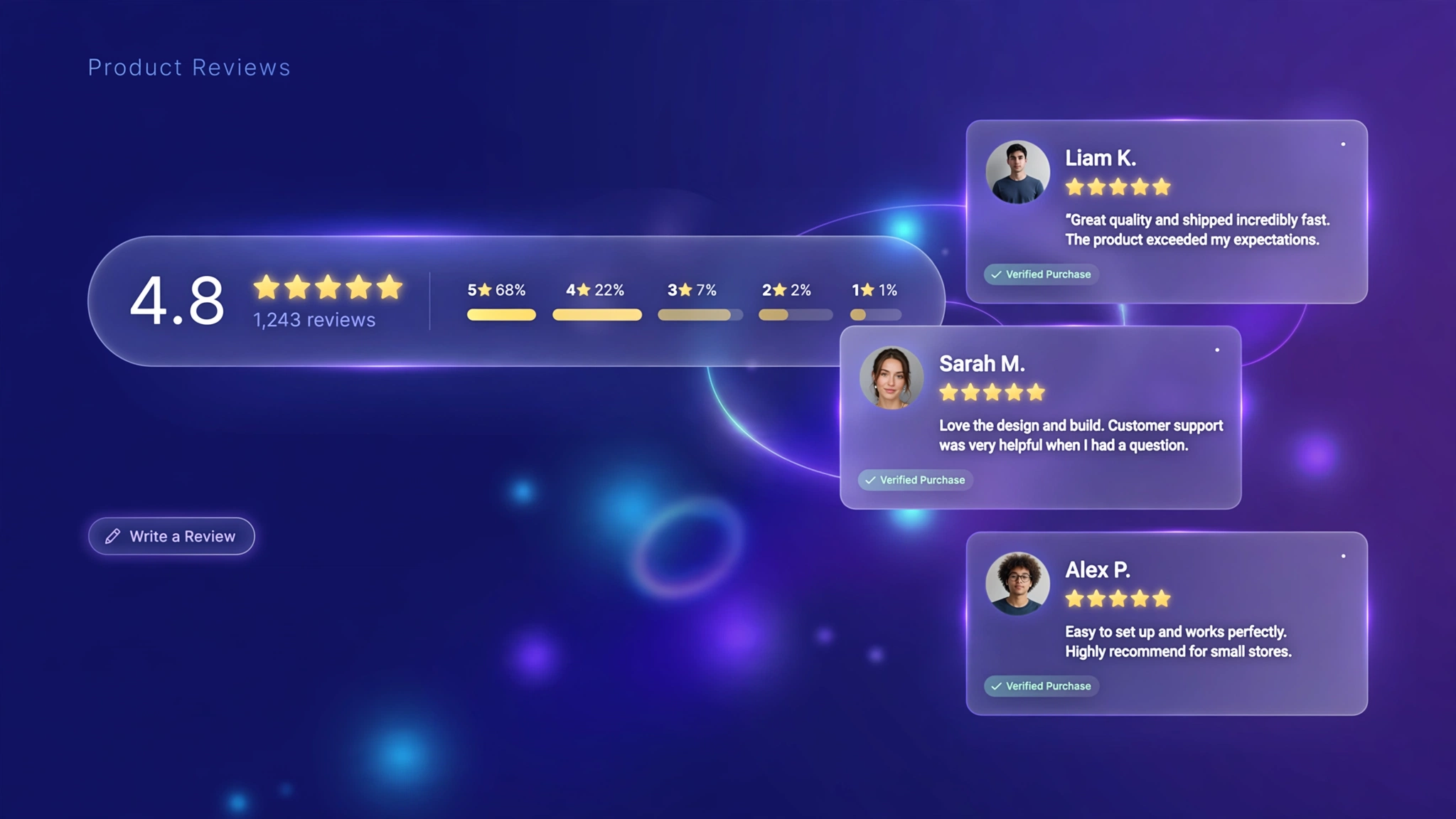
Reviews sell — but the default review widgets from most apps look like they were designed in 2012: clunky stars, gray boxes, zero brand personality. Customizing how reviews display (the summary bar, the badges, the layout) makes social proof feel native to your store instead of bolted on. With a little Liquid and CSS in a Custom Liquid section, you can restyle ratings to match your brand perfectly. Below are 5 designs — wire each one to your review app’s Liquid output (Judge.me, Loox, or Shopify’s own) using the marked spots, and turn reviews into a design asset.
1. Fashion Store – Star Summary Bar
A bold rating summary bar with big score, stars and review count — sits perfectly under the product title on fashion product pages.
Preview
Sample: Styled review display — connect your review app’s Liquid tags at the marked spots for live data.
Liquid Code
{% comment %}
  LayoutKart snippet: Product Reviews Display - Fashion Store Star Summary Bar
  Paste into a Custom Liquid section on the product template.
  Replace demo values with your review app's Liquid tags.
{% endcomment %}
<style>
  .lk-rev-g7v1 { max-width: 560px; margin: 18px auto; padding: 18px 20px;
    background: #fff5f7; border: 1px solid #fecdd3; border-radius: 14px;
    display: flex; align-items: center; gap: 16px; }
  .lk-rev-g7v1 .lk-score { font-size: 40px; font-weight: 800; color: #be123c; }
  .lk-rev-g7v1 .lk-stars { display: flex; gap: 2px; }
  .lk-rev-g7v1 .lk-count { font-size: 13px; color: #9f1239; margin-top: 4px; }
  .lk-rev-g7v1 .lk-cta { margin-left: auto; font-size: 13px; font-weight: 700; color: #be123c; }
</style>
<div class="lk-rev-g7v1">
  <div class="lk-score">4.8</div>
  <div>
    <div class="lk-stars"><svg viewBox="0 0 20 20" width="18" height="18" fill="#f43f5e"><path d="M10 1.5l2.6 5.3 5.9.9-4.2 4.1 1 5.8L10 14.9l-5.3 2.7 1-5.8L1.5 7.7l5.9-.9z"/></svg><svg viewBox="0 0 20 20" width="18" height="18" fill="#f43f5e"><path d="M10 1.5l2.6 5.3 5.9.9-4.2 4.1 1 5.8L10 14.9l-5.3 2.7 1-5.8L1.5 7.7l5.9-.9z"/></svg><svg viewBox="0 0 20 20" width="18" height="18" fill="#f43f5e"><path d="M10 1.5l2.6 5.3 5.9.9-4.2 4.1 1 5.8L10 14.9l-5.3 2.7 1-5.8L1.5 7.7l5.9-.9z"/></svg><svg viewBox="0 0 20 20" width="18" height="18" fill="#f43f5e"><path d="M10 1.5l2.6 5.3 5.9.9-4.2 4.1 1 5.8L10 14.9l-5.3 2.7 1-5.8L1.5 7.7l5.9-.9z"/></svg><svg viewBox="0 0 20 20" width="18" height="18" fill="#f43f5e"><path d="M10 1.5l2.6 5.3 5.9.9-4.2 4.1 1 5.8L10 14.9l-5.3 2.7 1-5.8L1.5 7.7l5.9-.9z"/></svg></div>
    <div class="lk-count">Based on 1,240 reviews</div>
  </div>
  <a class="lk-cta" href="#reviews">Read all</a>
</div>
2. Electronics – Review Count Badge
A compact dark pill badge with stars and verified count — made for spec-driven gadget pages where trust must be instant.
Preview
Sample: Styled review display — connect your review app’s Liquid tags at the marked spots for live data.
Liquid Code
{% comment %}
  LayoutKart snippet: Product Reviews Display - Electronics Review Count Badge
  Paste into a Custom Liquid section on the product template.
  Replace demo values with your review app's Liquid tags.
{% endcomment %}
<style>
  .lk-badge-g7v2 {
    display: inline-flex; align-items: center; gap: 8px;
    background: #0f172a; color: #fff; border-radius: 99px;
    padding: 8px 18px; font-size: 14px; font-weight: 600;
  }
  .lk-badge-g7v2 .lk-n { color: #38bdf8; font-weight: 800; }
</style>
<span class="lk-badge-g7v2">
  <span style="display:flex;gap:1px;"><svg viewBox="0 0 20 20" width="18" height="18" fill="#38bdf8"><path d="M10 1.5l2.6 5.3 5.9.9-4.2 4.1 1 5.8L10 14.9l-5.3 2.7 1-5.8L1.5 7.7l5.9-.9z"/></svg><svg viewBox="0 0 20 20" width="18" height="18" fill="#38bdf8"><path d="M10 1.5l2.6 5.3 5.9.9-4.2 4.1 1 5.8L10 14.9l-5.3 2.7 1-5.8L1.5 7.7l5.9-.9z"/></svg><svg viewBox="0 0 20 20" width="18" height="18" fill="#38bdf8"><path d="M10 1.5l2.6 5.3 5.9.9-4.2 4.1 1 5.8L10 14.9l-5.3 2.7 1-5.8L1.5 7.7l5.9-.9z"/></svg><svg viewBox="0 0 20 20" width="18" height="18" fill="#38bdf8"><path d="M10 1.5l2.6 5.3 5.9.9-4.2 4.1 1 5.8L10 14.9l-5.3 2.7 1-5.8L1.5 7.7l5.9-.9z"/></svg><svg viewBox="0 0 20 20" width="18" height="18" fill="#38bdf8"><path d="M10 1.5l2.6 5.3 5.9.9-4.2 4.1 1 5.8L10 14.9l-5.3 2.7 1-5.8L1.5 7.7l5.9-.9z"/></svg></span>
  <span class="lk-n">4.9</span> · 3,800+ verified reviews
</span>
3. Beauty – Testimonial Cards
Pretty review cards with verified-buyer tags — social proof that reads like a conversation, perfect for skincare and cosmetics.
Preview
★★★★★
“My skin has never looked better!”
— Priya S.
★★★★★
“Holy grail status.”
— Ananya R.
Sample: Styled review display — connect your review app’s Liquid tags at the marked spots for live data.
Liquid Code
{% comment %}
  LayoutKart snippet: Product Reviews Display - Beauty Testimonial Cards
  Paste into a Custom Liquid section on the product template.
  Replace demo values with your review app's Liquid tags.
{% endcomment %}
<style>
  .lk-tst-g7v3 { max-width: 640px; margin: 18px auto; display: grid;
    grid-template-columns: 1fr 1fr; gap: 14px; }
  .lk-tst-g7v3 .lk-card {
    background: #fdf2f8; border-radius: 14px; padding: 18px;
    font-size: 14px; line-height: 1.7; color: #6b2144;
  }
  .lk-tst-g7v3 .lk-who { margin-top: 10px; font-weight: 700; color: #831843; font-size: 13px; }
  .lk-tst-g7v3 .lk-stars { display: flex; gap: 2px; margin-bottom: 8px; }
</style>
<div class="lk-tst-g7v3">
  <div class="lk-card">
    <div class="lk-stars"><svg viewBox="0 0 20 20" width="18" height="18" fill="#ec4899"><path d="M10 1.5l2.6 5.3 5.9.9-4.2 4.1 1 5.8L10 14.9l-5.3 2.7 1-5.8L1.5 7.7l5.9-.9z"/></svg><svg viewBox="0 0 20 20" width="18" height="18" fill="#ec4899"><path d="M10 1.5l2.6 5.3 5.9.9-4.2 4.1 1 5.8L10 14.9l-5.3 2.7 1-5.8L1.5 7.7l5.9-.9z"/></svg><svg viewBox="0 0 20 20" width="18" height="18" fill="#ec4899"><path d="M10 1.5l2.6 5.3 5.9.9-4.2 4.1 1 5.8L10 14.9l-5.3 2.7 1-5.8L1.5 7.7l5.9-.9z"/></svg><svg viewBox="0 0 20 20" width="18" height="18" fill="#ec4899"><path d="M10 1.5l2.6 5.3 5.9.9-4.2 4.1 1 5.8L10 14.9l-5.3 2.7 1-5.8L1.5 7.7l5.9-.9z"/></svg><svg viewBox="0 0 20 20" width="18" height="18" fill="#ec4899"><path d="M10 1.5l2.6 5.3 5.9.9-4.2 4.1 1 5.8L10 14.9l-5.3 2.7 1-5.8L1.5 7.7l5.9-.9z"/></svg></div>
    "My skin has never looked better. Repurchased twice already!"
    <div class="lk-who">— Priya S. ✓ Verified buyer</div>
  </div>
  <div class="lk-card">
    <div class="lk-stars"><svg viewBox="0 0 20 20" width="18" height="18" fill="#ec4899"><path d="M10 1.5l2.6 5.3 5.9.9-4.2 4.1 1 5.8L10 14.9l-5.3 2.7 1-5.8L1.5 7.7l5.9-.9z"/></svg><svg viewBox="0 0 20 20" width="18" height="18" fill="#ec4899"><path d="M10 1.5l2.6 5.3 5.9.9-4.2 4.1 1 5.8L10 14.9l-5.3 2.7 1-5.8L1.5 7.7l5.9-.9z"/></svg><svg viewBox="0 0 20 20" width="18" height="18" fill="#ec4899"><path d="M10 1.5l2.6 5.3 5.9.9-4.2 4.1 1 5.8L10 14.9l-5.3 2.7 1-5.8L1.5 7.7l5.9-.9z"/></svg><svg viewBox="0 0 20 20" width="18" height="18" fill="#ec4899"><path d="M10 1.5l2.6 5.3 5.9.9-4.2 4.1 1 5.8L10 14.9l-5.3 2.7 1-5.8L1.5 7.7l5.9-.9z"/></svg><svg viewBox="0 0 20 20" width="18" height="18" fill="#ec4899"><path d="M10 1.5l2.6 5.3 5.9.9-4.2 4.1 1 5.8L10 14.9l-5.3 2.7 1-5.8L1.5 7.7l5.9-.9z"/></svg></div>
    "Gentle, effective, and smells divine. Holy grail status."
    <div class="lk-who">— Ananya R. ✓ Verified buyer</div>
  </div>
</div>
4. Home Decor – Compact Rating Widget
A small inline widget with stars, score bar and count — slips into tight furniture layouts without stealing space.
Preview
Sample: Styled review display — connect your review app’s Liquid tags at the marked spots for live data.
Liquid Code
{% comment %}
  LayoutKart snippet: Product Reviews Display - Home Decor Compact Rating Widget
  Paste into a Custom Liquid section on the product template.
  Replace demo values with your review app's Liquid tags.
{% endcomment %}
<style>
  .lk-mini-g7v4 {
    display: inline-flex; align-items: center; gap: 10px;
    border: 1px solid #e8dcc8; border-radius: 10px; padding: 10px 16px;
    background: #fffaf3; font-size: 13px; color: #5b4a38;
  }
  .lk-mini-g7v4 .lk-bar { width: 90px; height: 6px; background: #eee5d3; border-radius: 99px; overflow: hidden; }
  .lk-mini-g7v4 .lk-fill { height: 100%; width: 96%; background: #b07d4f; border-radius: 99px; }
  .lk-mini-g7v4 b { color: #3f3428; }
</style>
<span class="lk-mini-g7v4">
  <span style="display:flex;gap:1px;"><svg viewBox="0 0 20 20" width="18" height="18" fill="#b07d4f"><path d="M10 1.5l2.6 5.3 5.9.9-4.2 4.1 1 5.8L10 14.9l-5.3 2.7 1-5.8L1.5 7.7l5.9-.9z"/></svg><svg viewBox="0 0 20 20" width="18" height="18" fill="#b07d4f"><path d="M10 1.5l2.6 5.3 5.9.9-4.2 4.1 1 5.8L10 14.9l-5.3 2.7 1-5.8L1.5 7.7l5.9-.9z"/></svg><svg viewBox="0 0 20 20" width="18" height="18" fill="#b07d4f"><path d="M10 1.5l2.6 5.3 5.9.9-4.2 4.1 1 5.8L10 14.9l-5.3 2.7 1-5.8L1.5 7.7l5.9-.9z"/></svg><svg viewBox="0 0 20 20" width="18" height="18" fill="#b07d4f"><path d="M10 1.5l2.6 5.3 5.9.9-4.2 4.1 1 5.8L10 14.9l-5.3 2.7 1-5.8L1.5 7.7l5.9-.9z"/></svg><svg viewBox="0 0 20 20" width="18" height="18" fill="#ddd6c4"><path d="M10 1.5l2.6 5.3 5.9.9-4.2 4.1 1 5.8L10 14.9l-5.3 2.7 1-5.8L1.5 7.7l5.9-.9z"/></svg></span>
  <b>4.7</b>
  <span class="lk-bar"><span class="lk-fill"></span></span>
  <span>2.1k reviews</span>
</span>
5. Jewelry – Gold Stars Luxury
Centered gold stars with an italic collector quote — quiet, confident luxury for high-ticket pieces.
Preview
★★★★★
“Exceptional craftsmanship.”
4.9 · 860 COLLECTOR REVIEWS
Sample: Styled review display — connect your review app’s Liquid tags at the marked spots for live data.
Liquid Code
{% comment %}
  LayoutKart snippet: Product Reviews Display - Jewelry Gold Stars Luxury
  Paste into a Custom Liquid section on the product template.
  Replace demo values with your review app's Liquid tags.
{% endcomment %}
<style>
  .lk-lux-g7v5 { max-width: 600px; margin: 18px auto; text-align: center;
    padding: 26px; border-top: 1px solid #e7dcc3; border-bottom: 1px solid #e7dcc3; }
  .lk-lux-g7v5 .lk-stars { display: flex; justify-content: center; gap: 4px; margin-bottom: 10px; }
  .lk-lux-g7v5 .lk-quote { font-family: Georgia, serif; font-style: italic;
    font-size: 19px; line-height: 1.7; color: #4a4234; margin: 0 0 10px; }
  .lk-lux-g7v5 .lk-meta { font-size: 12px; letter-spacing: .2em; text-transform: uppercase; color: #a68b3f; }
</style>
<div class="lk-lux-g7v5">
  <div class="lk-stars"><svg viewBox="0 0 20 20" width="18" height="18" fill="#d4af37"><path d="M10 1.5l2.6 5.3 5.9.9-4.2 4.1 1 5.8L10 14.9l-5.3 2.7 1-5.8L1.5 7.7l5.9-.9z"/></svg><svg viewBox="0 0 20 20" width="18" height="18" fill="#d4af37"><path d="M10 1.5l2.6 5.3 5.9.9-4.2 4.1 1 5.8L10 14.9l-5.3 2.7 1-5.8L1.5 7.7l5.9-.9z"/></svg><svg viewBox="0 0 20 20" width="18" height="18" fill="#d4af37"><path d="M10 1.5l2.6 5.3 5.9.9-4.2 4.1 1 5.8L10 14.9l-5.3 2.7 1-5.8L1.5 7.7l5.9-.9z"/></svg><svg viewBox="0 0 20 20" width="18" height="18" fill="#d4af37"><path d="M10 1.5l2.6 5.3 5.9.9-4.2 4.1 1 5.8L10 14.9l-5.3 2.7 1-5.8L1.5 7.7l5.9-.9z"/></svg><svg viewBox="0 0 20 20" width="18" height="18" fill="#d4af37"><path d="M10 1.5l2.6 5.3 5.9.9-4.2 4.1 1 5.8L10 14.9l-5.3 2.7 1-5.8L1.5 7.7l5.9-.9z"/></svg></div>
  <p class="lk-quote">"Exceptional craftsmanship. The piece exceeded every expectation."</p>
  <p class="lk-meta">4.9 · 860 collector reviews</p>
</div>
How to Add Product Reviews Customization to Shopify
No app needed — this works with a free built-in Shopify feature called the Custom Liquid section. It takes about two minutes:
- From your Shopify admin, go to Online Store → Themes.
- Click Customize next to your live theme (works with Dawn and all Online Store 2.0 themes).
- In the theme editor, use the top dropdown to navigate to a product page.
- In the left sidebar, click Add section → Custom liquid.
- Delete the placeholder code, paste the code from your chosen variation above, and click Save.
- Preview your store — the change is live instantly. Drag the section up or down to reposition it.
Tip: Always duplicate your theme first (Themes → … → Duplicate) so you have a backup before editing.
Customize the Product Reviews Customization
- Wire real data: replace the demo numbers with your app’s Liquid tags (e.g. Judge.me’s
product.metafields.judgemeoutput). - Star color: change the star fill color to your brand accent.
- Review count: show the real count via
product.metafields.reviews.rating_countwhere supported. - Placement: put the summary right under the product title for maximum trust impact.
More Shopify Code Sections
Keep customizing your store with these copy-paste tutorials:
- Shopify Product Page Trust Badges with Liquid (Code + Guide)
- Shopify Testimonial Auto Slider
- Shopify Product Page Custom Offer Box
- Shopify Product Page Stock Counter (Only X Left)
- How to Customize Shopify Add to Cart Button Using CSS/Liquid
- Shopify Sticky Add to Cart Bar
- Shopify Product Page WhatsApp Order Button
- Shopify Animated Counter Section (Stats That Count Up)
Conclusion
Social proof only works if shoppers actually notice it — and notice it looking like part of your brand. A customized review display turns a generic widget into a trust-building design element. Pick the style that matches your store’s personality, connect your review app’s data at the marked spots, and let your happy customers do the selling.
Want a store that already has all of this built in? Check out LayoutKart’s readymade Shopify sections and templates — premium designs, clean Liquid code, ready to install.
