
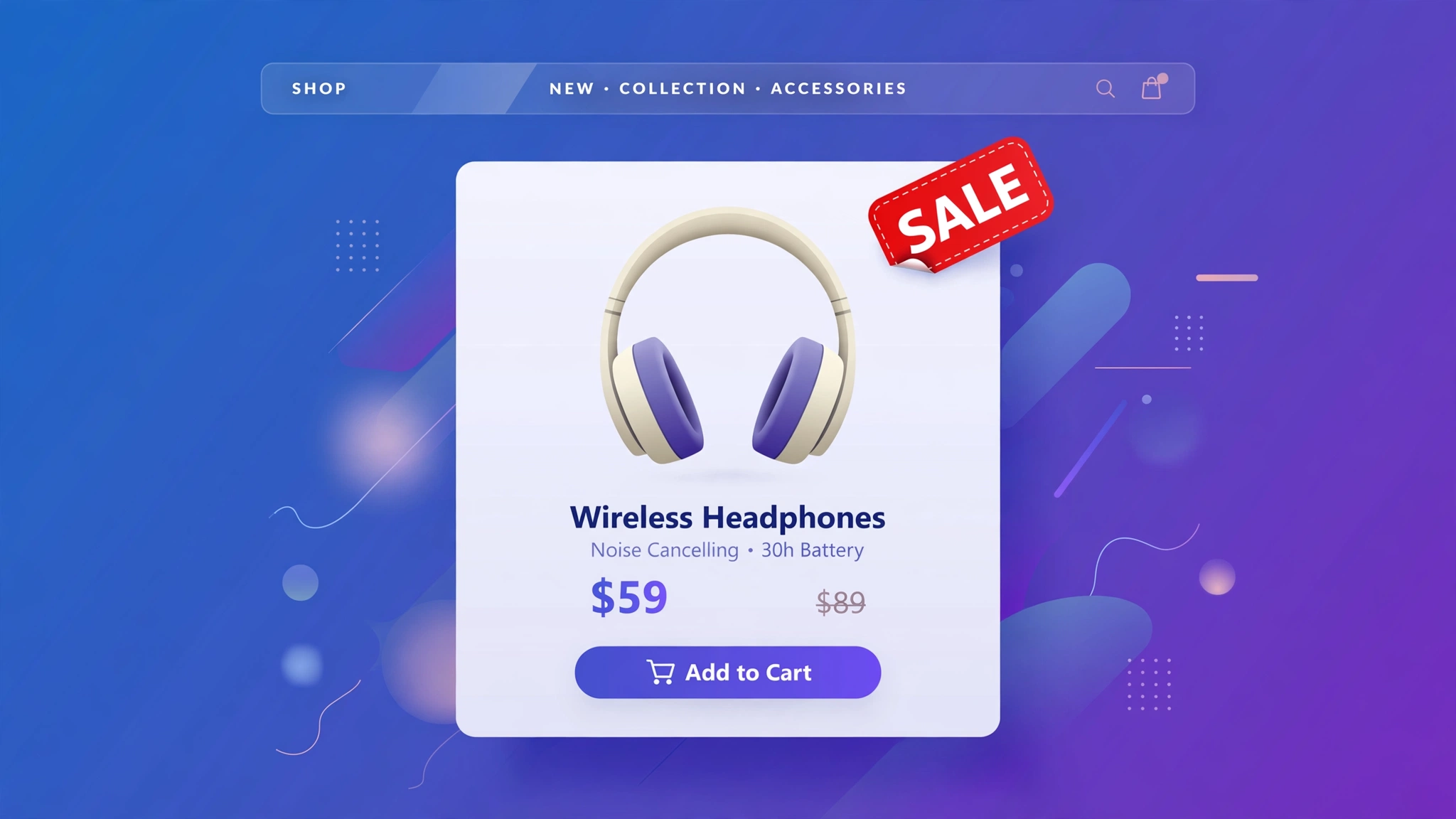
Nothing pulls the eye like a SALE badge — but hardcoding badges means remembering to remove them when the sale ends. With a few lines of Liquid, the badge appears automatically whenever compare_at_price is higher than price, and vanishes when it is not. Set it once, forget it forever. Five badge designs below, each live-previewed and ready to paste into a Custom liquid section.
1. Fashion – Corner Ribbon
The timeless diagonal ribbon across the top-left corner. It screams sale from across the page without covering the product photo. Fashion outlets use this for seasonal clearances. The ribbon is pure CSS transforms — no images to load.
Preview
{% if cmp > pr %}SALE{% endif %}
{{ product.title | default: ‘Denim Jacket’ }}
{{ product.price | default: 4999 | money }}
Try it: hover over the card above
Liquid Code
<div class="lkc-sb1">
{% assign cmp = product.compare_at_price | default: 6999 %}{% assign pr = product.price | default: 4999 %}<div class="lkc-card">
  <div class="lkc-media">
    <div class="lkc-ph"></div>
    {% if cmp > pr %}<span class="lkc-ribbon">SALE</span>{% endif %}
  </div>
  <div class="lkc-info">
    <h4>{{ product.title | default: 'Denim Jacket' }}</h4>
    <p class="lkc-price">{{ product.price | default: 4999 | money }}</p>
    <button class="lkc-btn" type="button">Add to cart</button>
  </div>
</div>
</div>
<style>
.lkc-sb1{max-width:320px;margin:24px auto;font-family:-apple-system,'Segoe UI',Roboto,sans-serif}
.lkc-sb1 .lkc-card{background:#fff;border-radius:14px;overflow:hidden;box-shadow:0 2px 12px rgba(30,27,75,.10);transition:transform .35s ease,box-shadow .35s ease}
.lkc-sb1 .lkc-media{position:relative;aspect-ratio:4/5;overflow:hidden;background:#eef2ff}
.lkc-sb1 .lkc-ph{position:absolute;inset:0;background:linear-gradient(135deg,#c7d2fe 0%,#ddd6fe 55%,#e9d5ff 100%)}
.lkc-sb1 .lkc-ph2{position:absolute;inset:0;background:linear-gradient(135deg,#a5b4fc 0%,#c4b5fd 60%,#f0abfc 100%);opacity:0;transition:opacity .45s ease}
.lkc-sb1 .lkc-info{padding:14px 16px 18px;text-align:center}
.lkc-sb1 .lkc-info h4{margin:0 0 6px;font-size:16px;color:#1e1b4b;font-weight:600}
.lkc-sb1 .lkc-price{margin:0 0 12px;font-weight:700;color:#4f46e5;font-size:15px}
.lkc-sb1 .lkc-price s{color:#9ca3af;font-weight:400;margin-right:6px}
.lkc-sb1 .lkc-btn{display:inline-block;background:#4f46e5;color:#fff;border:0;border-radius:999px;padding:10px 24px;font-weight:600;cursor:pointer;font-size:14px;transition:background .25s,transform .25s}
.lkc-sb1 .lkc-btn:hover{background:#4338ca}
.lkc-sb1 .lkc-ribbon{position:absolute;top:14px;left:-34px;transform:rotate(-45deg);background:#dc2626;color:#fff;font-size:11px;font-weight:800;letter-spacing:1px;padding:6px 40px;box-shadow:0 2px 6px rgba(0,0,0,.25)}
</style>
2. Electronics – Starburst Badge
A jagged starburst that looks like it was stamped on in a hurry — perfect for flash deals on gadgets. Built from two rotated squares, it has real dimension without any image files. Electronics stores pair it with countdown timers for maximum urgency.
Preview
{% if cmp > pr %}SALE{% endif %}
{{ product.title | default: ‘Bass Pro Headphones’ }}
{{ product.price | default: 8999 | money }}
Try it: hover over the card above
Liquid Code
<div class="lkc-sb2">
{% assign cmp = product.compare_at_price | default: 12999 %}{% assign pr = product.price | default: 8999 %}<div class="lkc-card">
  <div class="lkc-media">
    <div class="lkc-ph"></div>
    {% if cmp > pr %}<span class="lkc-burst"><span>SALE</span></span>{% endif %}
  </div>
  <div class="lkc-info">
    <h4>{{ product.title | default: 'Bass Pro Headphones' }}</h4>
    <p class="lkc-price">{{ product.price | default: 8999 | money }}</p>
    <button class="lkc-btn" type="button">Add to cart</button>
  </div>
</div>
</div>
<style>
.lkc-sb2{max-width:320px;margin:24px auto;font-family:-apple-system,'Segoe UI',Roboto,sans-serif}
.lkc-sb2 .lkc-card{background:#fff;border-radius:14px;overflow:hidden;box-shadow:0 2px 12px rgba(30,27,75,.10);transition:transform .35s ease,box-shadow .35s ease}
.lkc-sb2 .lkc-media{position:relative;aspect-ratio:4/5;overflow:hidden;background:#eef2ff}
.lkc-sb2 .lkc-ph{position:absolute;inset:0;background:linear-gradient(135deg,#c7d2fe 0%,#ddd6fe 55%,#e9d5ff 100%)}
.lkc-sb2 .lkc-ph2{position:absolute;inset:0;background:linear-gradient(135deg,#a5b4fc 0%,#c4b5fd 60%,#f0abfc 100%);opacity:0;transition:opacity .45s ease}
.lkc-sb2 .lkc-info{padding:14px 16px 18px;text-align:center}
.lkc-sb2 .lkc-info h4{margin:0 0 6px;font-size:16px;color:#1e1b4b;font-weight:600}
.lkc-sb2 .lkc-price{margin:0 0 12px;font-weight:700;color:#4f46e5;font-size:15px}
.lkc-sb2 .lkc-price s{color:#9ca3af;font-weight:400;margin-right:6px}
.lkc-sb2 .lkc-btn{display:inline-block;background:#4f46e5;color:#fff;border:0;border-radius:999px;padding:10px 24px;font-weight:600;cursor:pointer;font-size:14px;transition:background .25s,transform .25s}
.lkc-sb2 .lkc-btn:hover{background:#4338ca}
.lkc-sb2 .lkc-burst{position:absolute;top:12px;right:12px;width:64px;height:64px;background:#f59e0b;color:#1e1b4b;display:flex;align-items:center;justify-content:center;font-weight:800;font-size:12px}.lkc-sb2 .lkc-burst::before{content:"";position:absolute;inset:0;background:#f59e0b;transform:rotate(45deg);z-index:-1}.lkc-sb2 .lkc-burst{z-index:1}.lkc-sb2 .lkc-burst span{position:relative;z-index:2}
</style>
3. Kids Store – Playful Circle
A bouncy coral circle with a gentle wiggle animation — fun, friendly, and impossible for parents to miss. Kids brands should keep sale messaging cheerful rather than aggressive, and this nails it. The wiggle loops softly so it never gets annoying.
Preview
{% if cmp > pr %}SALE{% endif %}
{{ product.title | default: ‘Dino Print T-Shirt’ }}
{{ product.price | default: 1299 | money }}
Try it: hover over the card above
Liquid Code
<div class="lkc-sb3">
{% assign cmp = product.compare_at_price | default: 1999 %}{% assign pr = product.price | default: 1299 %}<div class="lkc-card">
  <div class="lkc-media">
    <div class="lkc-ph"></div>
    {% if cmp > pr %}<span class="lkc-dot">SALE</span>{% endif %}
  </div>
  <div class="lkc-info">
    <h4>{{ product.title | default: 'Dino Print T-Shirt' }}</h4>
    <p class="lkc-price">{{ product.price | default: 1299 | money }}</p>
    <button class="lkc-btn" type="button">Add to cart</button>
  </div>
</div>
</div>
<style>
.lkc-sb3{max-width:320px;margin:24px auto;font-family:-apple-system,'Segoe UI',Roboto,sans-serif}
.lkc-sb3 .lkc-card{background:#fff;border-radius:14px;overflow:hidden;box-shadow:0 2px 12px rgba(30,27,75,.10);transition:transform .35s ease,box-shadow .35s ease}
.lkc-sb3 .lkc-media{position:relative;aspect-ratio:4/5;overflow:hidden;background:#eef2ff}
.lkc-sb3 .lkc-ph{position:absolute;inset:0;background:linear-gradient(135deg,#c7d2fe 0%,#ddd6fe 55%,#e9d5ff 100%)}
.lkc-sb3 .lkc-ph2{position:absolute;inset:0;background:linear-gradient(135deg,#a5b4fc 0%,#c4b5fd 60%,#f0abfc 100%);opacity:0;transition:opacity .45s ease}
.lkc-sb3 .lkc-info{padding:14px 16px 18px;text-align:center}
.lkc-sb3 .lkc-info h4{margin:0 0 6px;font-size:16px;color:#1e1b4b;font-weight:600}
.lkc-sb3 .lkc-price{margin:0 0 12px;font-weight:700;color:#4f46e5;font-size:15px}
.lkc-sb3 .lkc-price s{color:#9ca3af;font-weight:400;margin-right:6px}
.lkc-sb3 .lkc-btn{display:inline-block;background:#4f46e5;color:#fff;border:0;border-radius:999px;padding:10px 24px;font-weight:600;cursor:pointer;font-size:14px;transition:background .25s,transform .25s}
.lkc-sb3 .lkc-btn:hover{background:#4338ca}
.lkc-sb3 .lkc-dot{position:absolute;top:12px;left:12px;width:58px;height:58px;border-radius:50%;background:#fb7185;color:#fff;display:flex;align-items:center;justify-content:center;font-weight:800;font-size:11px;animation:wiggle 2.4s ease-in-out infinite}@keyframes wiggle{0%,100%{transform:rotate(-6deg)}50%{transform:rotate(6deg)}}
</style>
4. Luxury – Gold Seal
Sales happen in luxury too — but the badge should whisper, not shout. A gold-foil circular seal with a thin double border signals “private sale” energy. The metallic gradient catches light on hover. Use sparingly; exclusivity is the point.
Preview
{% if cmp > pr %}SALE{% endif %}
{{ product.title | default: ‘Heritage Leather Bag’ }}
{{ product.price | default: 36999 | money }}
Try it: hover over the card above
Liquid Code
<div class="lkc-sb4">
{% assign cmp = product.compare_at_price | default: 45999 %}{% assign pr = product.price | default: 36999 %}<div class="lkc-card">
  <div class="lkc-media">
    <div class="lkc-ph"></div>
    {% if cmp > pr %}<span class="lkc-seal">SALE</span>{% endif %}
  </div>
  <div class="lkc-info">
    <h4>{{ product.title | default: 'Heritage Leather Bag' }}</h4>
    <p class="lkc-price">{{ product.price | default: 36999 | money }}</p>
    <button class="lkc-btn" type="button">Add to cart</button>
  </div>
</div>
</div>
<style>
.lkc-sb4{max-width:320px;margin:24px auto;font-family:-apple-system,'Segoe UI',Roboto,sans-serif}
.lkc-sb4 .lkc-card{background:#fff;border-radius:14px;overflow:hidden;box-shadow:0 2px 12px rgba(30,27,75,.10);transition:transform .35s ease,box-shadow .35s ease}
.lkc-sb4 .lkc-media{position:relative;aspect-ratio:4/5;overflow:hidden;background:#eef2ff}
.lkc-sb4 .lkc-ph{position:absolute;inset:0;background:linear-gradient(135deg,#c7d2fe 0%,#ddd6fe 55%,#e9d5ff 100%)}
.lkc-sb4 .lkc-ph2{position:absolute;inset:0;background:linear-gradient(135deg,#a5b4fc 0%,#c4b5fd 60%,#f0abfc 100%);opacity:0;transition:opacity .45s ease}
.lkc-sb4 .lkc-info{padding:14px 16px 18px;text-align:center}
.lkc-sb4 .lkc-info h4{margin:0 0 6px;font-size:16px;color:#1e1b4b;font-weight:600}
.lkc-sb4 .lkc-price{margin:0 0 12px;font-weight:700;color:#4f46e5;font-size:15px}
.lkc-sb4 .lkc-price s{color:#9ca3af;font-weight:400;margin-right:6px}
.lkc-sb4 .lkc-btn{display:inline-block;background:#4f46e5;color:#fff;border:0;border-radius:999px;padding:10px 24px;font-weight:600;cursor:pointer;font-size:14px;transition:background .25s,transform .25s}
.lkc-sb4 .lkc-btn:hover{background:#4338ca}
.lkc-sb4 .lkc-seal{position:absolute;top:12px;right:12px;width:60px;height:60px;border-radius:50%;background:radial-gradient(circle at 30% 30%,#fde68a,#d4af37 60%,#92600a);color:#3b2f04;display:flex;align-items:center;justify-content:center;font-weight:800;font-size:10px;letter-spacing:1px;border:2px solid #fff7dd;box-shadow:0 4px 10px rgba(0,0,0,.25)}
</style>
5. Grocery – Price Tag
Shaped like a real hanging price tag, complete with the punched hole — instantly readable for grocery and essentials shoppers who scan fast. The slight tilt makes it feel physical. Great for “was/now” pricing on everyday items.
Preview
{% if cmp > pr %}SALE{% endif %}
{{ product.title | default: ‘Organic Almond Pack’ }}
{{ product.price | default: 349 | money }}
Try it: hover over the card above
Liquid Code
<div class="lkc-sb5">
{% assign cmp = product.compare_at_price | default: 499 %}{% assign pr = product.price | default: 349 %}<div class="lkc-card">
  <div class="lkc-media">
    <div class="lkc-ph"></div>
    {% if cmp > pr %}<span class="lkc-tag">SALE</span>{% endif %}
  </div>
  <div class="lkc-info">
    <h4>{{ product.title | default: 'Organic Almond Pack' }}</h4>
    <p class="lkc-price">{{ product.price | default: 349 | money }}</p>
    <button class="lkc-btn" type="button">Add to cart</button>
  </div>
</div>
</div>
<style>
.lkc-sb5{max-width:320px;margin:24px auto;font-family:-apple-system,'Segoe UI',Roboto,sans-serif}
.lkc-sb5 .lkc-card{background:#fff;border-radius:14px;overflow:hidden;box-shadow:0 2px 12px rgba(30,27,75,.10);transition:transform .35s ease,box-shadow .35s ease}
.lkc-sb5 .lkc-media{position:relative;aspect-ratio:4/5;overflow:hidden;background:#eef2ff}
.lkc-sb5 .lkc-ph{position:absolute;inset:0;background:linear-gradient(135deg,#c7d2fe 0%,#ddd6fe 55%,#e9d5ff 100%)}
.lkc-sb5 .lkc-ph2{position:absolute;inset:0;background:linear-gradient(135deg,#a5b4fc 0%,#c4b5fd 60%,#f0abfc 100%);opacity:0;transition:opacity .45s ease}
.lkc-sb5 .lkc-info{padding:14px 16px 18px;text-align:center}
.lkc-sb5 .lkc-info h4{margin:0 0 6px;font-size:16px;color:#1e1b4b;font-weight:600}
.lkc-sb5 .lkc-price{margin:0 0 12px;font-weight:700;color:#4f46e5;font-size:15px}
.lkc-sb5 .lkc-price s{color:#9ca3af;font-weight:400;margin-right:6px}
.lkc-sb5 .lkc-btn{display:inline-block;background:#4f46e5;color:#fff;border:0;border-radius:999px;padding:10px 24px;font-weight:600;cursor:pointer;font-size:14px;transition:background .25s,transform .25s}
.lkc-sb5 .lkc-btn:hover{background:#4338ca}
.lkc-sb5 .lkc-tag{position:absolute;top:14px;left:14px;background:#16a34a;color:#fff;font-weight:800;font-size:12px;padding:8px 14px 8px 22px;border-radius:4px;transform:rotate(-4deg)}.lkc-sb5 .lkc-tag::before{content:"";position:absolute;left:8px;top:50%;width:7px;height:7px;margin-top:-3.5px;background:#fff;border-radius:50%}
</style>
How to Add Sale Badge to Shopify
- In your Shopify admin, go to Online Store → Themes.
- Click Customize on your published theme.
- At the top, pick the template where you want the demo (e.g. Collection → Default collection).
- Click Add section → Custom liquid.
- Paste the code from above into the Custom liquid box and click Save. That is it — no apps, no theme-file edits.
Customize the Sale Badge
- Change the trigger: the badge shows when compare_at_price > price — set compare-at prices in Shopify and it just works.
- Recolor any badge by editing its background hex to match your brand.
- Move badges with top/left/right — corners convert best, centers get ignored.
- Hide badges on specific collections by wrapping the Liquid in {% unless %} logic.
More Shopify Code Sections
- Shopify Product Card Discount Percentage Badge
- Shopify Product Card Hover Effect (Liquid + CSS)
- Shopify Dual-Line Marquee Effect
- Shopify Free Shipping Progress Bar
- Shopify Product Page Discount Banner
- Shopify Discount Code Copy Button
- Shopify Collection Product Grid Custom CSS
- Shopify Animated Sale Announcement Bar
Conclusion
Automatic sale badges are the definition of “set and forget” — your merchandising team just sets compare-at prices and the storefront does the shouting. Pick one of the five styles above, paste it into a Custom liquid section, and every future sale will promote itself.
Want effects like these on your whole store, done for you? LayoutKart builds conversion-focused Shopify stores with premium touches baked in — no apps needed.
