
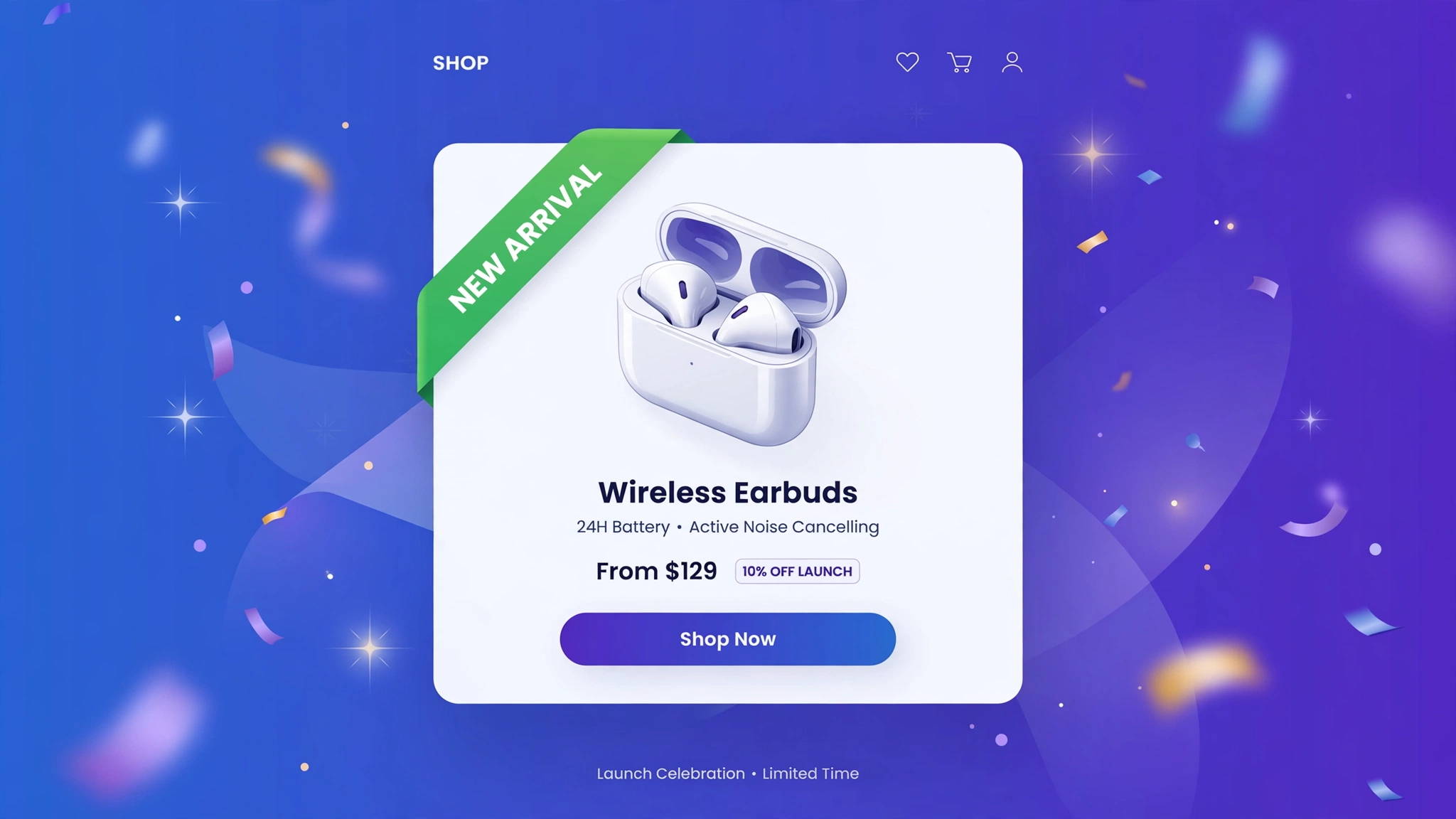
New drops deserve a spotlight. Instead of manually tagging every launch, let Liquid do it: add the tag new to a product and a “New Arrival” badge appears on its card automatically — remove the tag later and it disappears. Five badge designs below, each with a live preview and copy-paste code for a Custom liquid section. Your launch calendar just got easier.
1. Fashion – Top-Left Pill
A clean rounded pill in deep indigo that sits politely in the corner. Fashion drops happen weekly, so the badge needs to be noticeable without fighting the photography. This one is the safe default every store should start with.
Preview
{% if is_new %}NEW ARRIVAL{% endif %}
{{ product.title | default: ‘Cloud Knit Sweater’ }}
{{ product.price | default: 3499 | money }}
Try it: hover over the card above
Liquid Code
<div class="lkc-nb1">
{% assign is_new = false %}{% if product.tags contains 'new' %}{% assign is_new = true %}{% endif %}{% unless product %}{% assign is_new = true %}{% endunless %}<div class="lkc-card">
  <div class="lkc-media">
    <div class="lkc-ph"></div>
    {% if is_new %}<span class="lkc-pill">NEW ARRIVAL</span>{% endif %}
  </div>
  <div class="lkc-info">
    <h4>{{ product.title | default: 'Cloud Knit Sweater' }}</h4>
    <p class="lkc-price">{{ product.price | default: 3499 | money }}</p>
    <button class="lkc-btn" type="button">Add to cart</button>
  </div>
</div>
</div>
<style>
.lkc-nb1{max-width:320px;margin:24px auto;font-family:-apple-system,'Segoe UI',Roboto,sans-serif}
.lkc-nb1 .lkc-card{background:#fff;border-radius:14px;overflow:hidden;box-shadow:0 2px 12px rgba(30,27,75,.10);transition:transform .35s ease,box-shadow .35s ease}
.lkc-nb1 .lkc-media{position:relative;aspect-ratio:4/5;overflow:hidden;background:#eef2ff}
.lkc-nb1 .lkc-ph{position:absolute;inset:0;background:linear-gradient(135deg,#c7d2fe 0%,#ddd6fe 55%,#e9d5ff 100%)}
.lkc-nb1 .lkc-ph2{position:absolute;inset:0;background:linear-gradient(135deg,#a5b4fc 0%,#c4b5fd 60%,#f0abfc 100%);opacity:0;transition:opacity .45s ease}
.lkc-nb1 .lkc-info{padding:14px 16px 18px;text-align:center}
.lkc-nb1 .lkc-info h4{margin:0 0 6px;font-size:16px;color:#1e1b4b;font-weight:600}
.lkc-nb1 .lkc-price{margin:0 0 12px;font-weight:700;color:#4f46e5;font-size:15px}
.lkc-nb1 .lkc-price s{color:#9ca3af;font-weight:400;margin-right:6px}
.lkc-nb1 .lkc-btn{display:inline-block;background:#4f46e5;color:#fff;border:0;border-radius:999px;padding:10px 24px;font-weight:600;cursor:pointer;font-size:14px;transition:background .25s,transform .25s}
.lkc-nb1 .lkc-btn:hover{background:#4338ca}
.lkc-nb1 .lkc-pill{position:absolute;top:12px;left:12px;background:#4f46e5;color:#fff;font-size:11px;font-weight:700;letter-spacing:.8px;padding:6px 14px;border-radius:999px;box-shadow:0 3px 8px rgba(79,70,229,.4)}
</style>
2. Beauty – Shimmer Tag
A rose-gold tag with an animated shimmer sweep — it literally sparkles, which is exactly what beauty launches should do. The shimmer is a moving gradient, so it costs zero image weight. Use it for limited-edition shades and seasonal collections.
Preview
{% if is_new %}NEW{% endif %}
{{ product.title | default: ‘Dew Tint Stick’ }}
{{ product.price | default: 1599 | money }}
Try it: hover over the card above
Liquid Code
<div class="lkc-nb2">
{% assign is_new = false %}{% if product.tags contains 'new' %}{% assign is_new = true %}{% endif %}{% unless product %}{% assign is_new = true %}{% endunless %}<div class="lkc-card">
  <div class="lkc-media">
    <div class="lkc-ph"></div>
    {% if is_new %}<span class="lkc-shimmer">NEW</span>{% endif %}
  </div>
  <div class="lkc-info">
    <h4>{{ product.title | default: 'Dew Tint Stick' }}</h4>
    <p class="lkc-price">{{ product.price | default: 1599 | money }}</p>
    <button class="lkc-btn" type="button">Add to cart</button>
  </div>
</div>
</div>
<style>
.lkc-nb2{max-width:320px;margin:24px auto;font-family:-apple-system,'Segoe UI',Roboto,sans-serif}
.lkc-nb2 .lkc-card{background:#fff;border-radius:14px;overflow:hidden;box-shadow:0 2px 12px rgba(30,27,75,.10);transition:transform .35s ease,box-shadow .35s ease}
.lkc-nb2 .lkc-media{position:relative;aspect-ratio:4/5;overflow:hidden;background:#eef2ff}
.lkc-nb2 .lkc-ph{position:absolute;inset:0;background:linear-gradient(135deg,#c7d2fe 0%,#ddd6fe 55%,#e9d5ff 100%)}
.lkc-nb2 .lkc-ph2{position:absolute;inset:0;background:linear-gradient(135deg,#a5b4fc 0%,#c4b5fd 60%,#f0abfc 100%);opacity:0;transition:opacity .45s ease}
.lkc-nb2 .lkc-info{padding:14px 16px 18px;text-align:center}
.lkc-nb2 .lkc-info h4{margin:0 0 6px;font-size:16px;color:#1e1b4b;font-weight:600}
.lkc-nb2 .lkc-price{margin:0 0 12px;font-weight:700;color:#4f46e5;font-size:15px}
.lkc-nb2 .lkc-price s{color:#9ca3af;font-weight:400;margin-right:6px}
.lkc-nb2 .lkc-btn{display:inline-block;background:#4f46e5;color:#fff;border:0;border-radius:999px;padding:10px 24px;font-weight:600;cursor:pointer;font-size:14px;transition:background .25s,transform .25s}
.lkc-nb2 .lkc-btn:hover{background:#4338ca}
.lkc-nb2 .lkc-shimmer{position:absolute;top:12px;left:12px;font-size:11px;font-weight:800;letter-spacing:1px;color:#7c2d12;padding:7px 14px;border-radius:6px;background:linear-gradient(110deg,#fbcfe8 20%,#fff 40%,#fbcfe8 60%);background-size:200% 100%;animation:shimmer 2.2s linear infinite}@keyframes shimmer{to{background-position:-200% 0}}
</style>
3. Jewelry – Script Ribbon
An italic serif ribbon in champagne tones — “New Arrival” written like a handwritten note from the atelier. Fine jewelry launches are emotional purchases, and this badge matches that register. The serif italic does all the heavy lifting.
Preview
{% if is_new %}New Arrival{% endif %}
{{ product.title | default: ‘Pearl Drop Earrings’ }}
{{ product.price | default: 7499 | money }}
Try it: hover over the card above
Liquid Code
<div class="lkc-nb3">
{% assign is_new = false %}{% if product.tags contains 'new' %}{% assign is_new = true %}{% endif %}{% unless product %}{% assign is_new = true %}{% endunless %}<div class="lkc-card">
  <div class="lkc-media">
    <div class="lkc-ph"></div>
    {% if is_new %}<span class="lkc-script">New Arrival</span>{% endif %}
  </div>
  <div class="lkc-info">
    <h4>{{ product.title | default: 'Pearl Drop Earrings' }}</h4>
    <p class="lkc-price">{{ product.price | default: 7499 | money }}</p>
    <button class="lkc-btn" type="button">Add to cart</button>
  </div>
</div>
</div>
<style>
.lkc-nb3{max-width:320px;margin:24px auto;font-family:-apple-system,'Segoe UI',Roboto,sans-serif}
.lkc-nb3 .lkc-card{background:#fff;border-radius:14px;overflow:hidden;box-shadow:0 2px 12px rgba(30,27,75,.10);transition:transform .35s ease,box-shadow .35s ease}
.lkc-nb3 .lkc-media{position:relative;aspect-ratio:4/5;overflow:hidden;background:#eef2ff}
.lkc-nb3 .lkc-ph{position:absolute;inset:0;background:linear-gradient(135deg,#c7d2fe 0%,#ddd6fe 55%,#e9d5ff 100%)}
.lkc-nb3 .lkc-ph2{position:absolute;inset:0;background:linear-gradient(135deg,#a5b4fc 0%,#c4b5fd 60%,#f0abfc 100%);opacity:0;transition:opacity .45s ease}
.lkc-nb3 .lkc-info{padding:14px 16px 18px;text-align:center}
.lkc-nb3 .lkc-info h4{margin:0 0 6px;font-size:16px;color:#1e1b4b;font-weight:600}
.lkc-nb3 .lkc-price{margin:0 0 12px;font-weight:700;color:#4f46e5;font-size:15px}
.lkc-nb3 .lkc-price s{color:#9ca3af;font-weight:400;margin-right:6px}
.lkc-nb3 .lkc-btn{display:inline-block;background:#4f46e5;color:#fff;border:0;border-radius:999px;padding:10px 24px;font-weight:600;cursor:pointer;font-size:14px;transition:background .25s,transform .25s}
.lkc-nb3 .lkc-btn:hover{background:#4338ca}
.lkc-nb3 .lkc-script{position:absolute;top:16px;left:0;background:linear-gradient(90deg,#f5e6c4,#e8c877);color:#5b4306;font-family:Georgia,serif;font-style:italic;font-size:13px;padding:7px 18px 7px 14px;border-radius:0 999px 999px 0;box-shadow:0 3px 8px rgba(0,0,0,.18)}
</style>
4. Sports – Slash Banner
A skewed, high-voltage banner that looks fast standing still. Sports and sneaker drops need urgency, and the aggressive angle delivers it. White text on volt green is readable from the other side of the collection page.
Preview
{% if is_new %}NEW DROP{% endif %}
{{ product.title | default: ‘Trail Blaze Shoes’ }}
{{ product.price | default: 8999 | money }}
Try it: hover over the card above
Liquid Code
<div class="lkc-nb4">
{% assign is_new = false %}{% if product.tags contains 'new' %}{% assign is_new = true %}{% endif %}{% unless product %}{% assign is_new = true %}{% endunless %}<div class="lkc-card">
  <div class="lkc-media">
    <div class="lkc-ph"></div>
    {% if is_new %}<span class="lkc-slash">NEW DROP</span>{% endif %}
  </div>
  <div class="lkc-info">
    <h4>{{ product.title | default: 'Trail Blaze Shoes' }}</h4>
    <p class="lkc-price">{{ product.price | default: 8999 | money }}</p>
    <button class="lkc-btn" type="button">Add to cart</button>
  </div>
</div>
</div>
<style>
.lkc-nb4{max-width:320px;margin:24px auto;font-family:-apple-system,'Segoe UI',Roboto,sans-serif}
.lkc-nb4 .lkc-card{background:#fff;border-radius:14px;overflow:hidden;box-shadow:0 2px 12px rgba(30,27,75,.10);transition:transform .35s ease,box-shadow .35s ease}
.lkc-nb4 .lkc-media{position:relative;aspect-ratio:4/5;overflow:hidden;background:#eef2ff}
.lkc-nb4 .lkc-ph{position:absolute;inset:0;background:linear-gradient(135deg,#c7d2fe 0%,#ddd6fe 55%,#e9d5ff 100%)}
.lkc-nb4 .lkc-ph2{position:absolute;inset:0;background:linear-gradient(135deg,#a5b4fc 0%,#c4b5fd 60%,#f0abfc 100%);opacity:0;transition:opacity .45s ease}
.lkc-nb4 .lkc-info{padding:14px 16px 18px;text-align:center}
.lkc-nb4 .lkc-info h4{margin:0 0 6px;font-size:16px;color:#1e1b4b;font-weight:600}
.lkc-nb4 .lkc-price{margin:0 0 12px;font-weight:700;color:#4f46e5;font-size:15px}
.lkc-nb4 .lkc-price s{color:#9ca3af;font-weight:400;margin-right:6px}
.lkc-nb4 .lkc-btn{display:inline-block;background:#4f46e5;color:#fff;border:0;border-radius:999px;padding:10px 24px;font-weight:600;cursor:pointer;font-size:14px;transition:background .25s,transform .25s}
.lkc-nb4 .lkc-btn:hover{background:#4338ca}
.lkc-nb4 .lkc-slash{position:absolute;top:14px;left:-8px;background:#65a30d;color:#fff;font-size:11px;font-weight:800;letter-spacing:1px;padding:7px 20px;transform:skewX(-12deg);box-shadow:0 3px 8px rgba(0,0,0,.25)}
</style>
5. Home – Leaf “Just Landed”
A soft sage-green rounded tag with a leaf accent — “Just Landed” feels warm and organic, perfect for home and lifestyle brands. The earthy tone blends with natural product photography instead of competing with it. Great for artisan and handmade collections.
Preview
{% if is_new %}JUST LANDED{% endif %}
{{ product.title | default: ‘Terracotta Planter’ }}
{{ product.price | default: 1899 | money }}
Try it: hover over the card above
Liquid Code
<div class="lkc-nb5">
{% assign is_new = false %}{% if product.tags contains 'new' %}{% assign is_new = true %}{% endif %}{% unless product %}{% assign is_new = true %}{% endunless %}<div class="lkc-card">
  <div class="lkc-media">
    <div class="lkc-ph"></div>
    {% if is_new %}<span class="lkc-leaf">JUST LANDED</span>{% endif %}
  </div>
  <div class="lkc-info">
    <h4>{{ product.title | default: 'Terracotta Planter' }}</h4>
    <p class="lkc-price">{{ product.price | default: 1899 | money }}</p>
    <button class="lkc-btn" type="button">Add to cart</button>
  </div>
</div>
</div>
<style>
.lkc-nb5{max-width:320px;margin:24px auto;font-family:-apple-system,'Segoe UI',Roboto,sans-serif}
.lkc-nb5 .lkc-card{background:#fff;border-radius:14px;overflow:hidden;box-shadow:0 2px 12px rgba(30,27,75,.10);transition:transform .35s ease,box-shadow .35s ease}
.lkc-nb5 .lkc-media{position:relative;aspect-ratio:4/5;overflow:hidden;background:#eef2ff}
.lkc-nb5 .lkc-ph{position:absolute;inset:0;background:linear-gradient(135deg,#c7d2fe 0%,#ddd6fe 55%,#e9d5ff 100%)}
.lkc-nb5 .lkc-ph2{position:absolute;inset:0;background:linear-gradient(135deg,#a5b4fc 0%,#c4b5fd 60%,#f0abfc 100%);opacity:0;transition:opacity .45s ease}
.lkc-nb5 .lkc-info{padding:14px 16px 18px;text-align:center}
.lkc-nb5 .lkc-info h4{margin:0 0 6px;font-size:16px;color:#1e1b4b;font-weight:600}
.lkc-nb5 .lkc-price{margin:0 0 12px;font-weight:700;color:#4f46e5;font-size:15px}
.lkc-nb5 .lkc-price s{color:#9ca3af;font-weight:400;margin-right:6px}
.lkc-nb5 .lkc-btn{display:inline-block;background:#4f46e5;color:#fff;border:0;border-radius:999px;padding:10px 24px;font-weight:600;cursor:pointer;font-size:14px;transition:background .25s,transform .25s}
.lkc-nb5 .lkc-btn:hover{background:#4338ca}
.lkc-nb5 .lkc-leaf{position:absolute;top:12px;left:12px;background:#4d7c0f;color:#f7fee7;font-size:11px;font-weight:700;padding:7px 14px;border-radius:999px;box-shadow:0 3px 8px rgba(77,124,15,.4)}.lkc-nb5 .lkc-leaf::before{content:"\2766";margin-right:6px}
</style>
How to Add ‘New Arrival’ Badge to Shopify
- In your Shopify admin, go to Online Store → Themes.
- Click Customize on your published theme.
- At the top, pick the template where you want the demo (e.g. Collection → Default collection).
- Click Add section → Custom liquid.
- Paste the code from above into the Custom liquid box and click Save. That is it — no apps, no theme-file edits.
Customize the ‘New Arrival’ Badge
- Drive it with the product tag “new” — tag products on launch day, untag when the novelty fades.
- Auto-expire badges with product.created_at instead of tags for a fully hands-off “new for 30 days” rule.
- Match your brand voice: change the badge text to “Just Dropped”, “Fresh”, or your language.
- Stack it with a sale badge by offsetting top positions so they never overlap.
More Shopify Code Sections
- Shopify Product Card Sale Badge with Liquid
- Shopify Product Card Discount Percentage Badge
- Shopify Product Card Hover Effect (Liquid + CSS)
- Shopify Collection Product Grid Custom CSS
- Shopify Custom ‘New Arrival’ Badge with Liquid
- Shopify Infinite Logo Carousel
- Shopify Product Card Quick View Button
- Shopify Animated Counter Section
Conclusion
Tag-driven “New Arrival” badges turn every product launch into a visual event — automatically. Your team tags the product once, and the badge handles the rest across your whole catalog. Pick a style above, paste it into a Custom liquid section, and never hand-place a launch badge again.
Want effects like these on your whole store, done for you? LayoutKart builds conversion-focused Shopify stores with premium touches baked in — no apps needed.
