
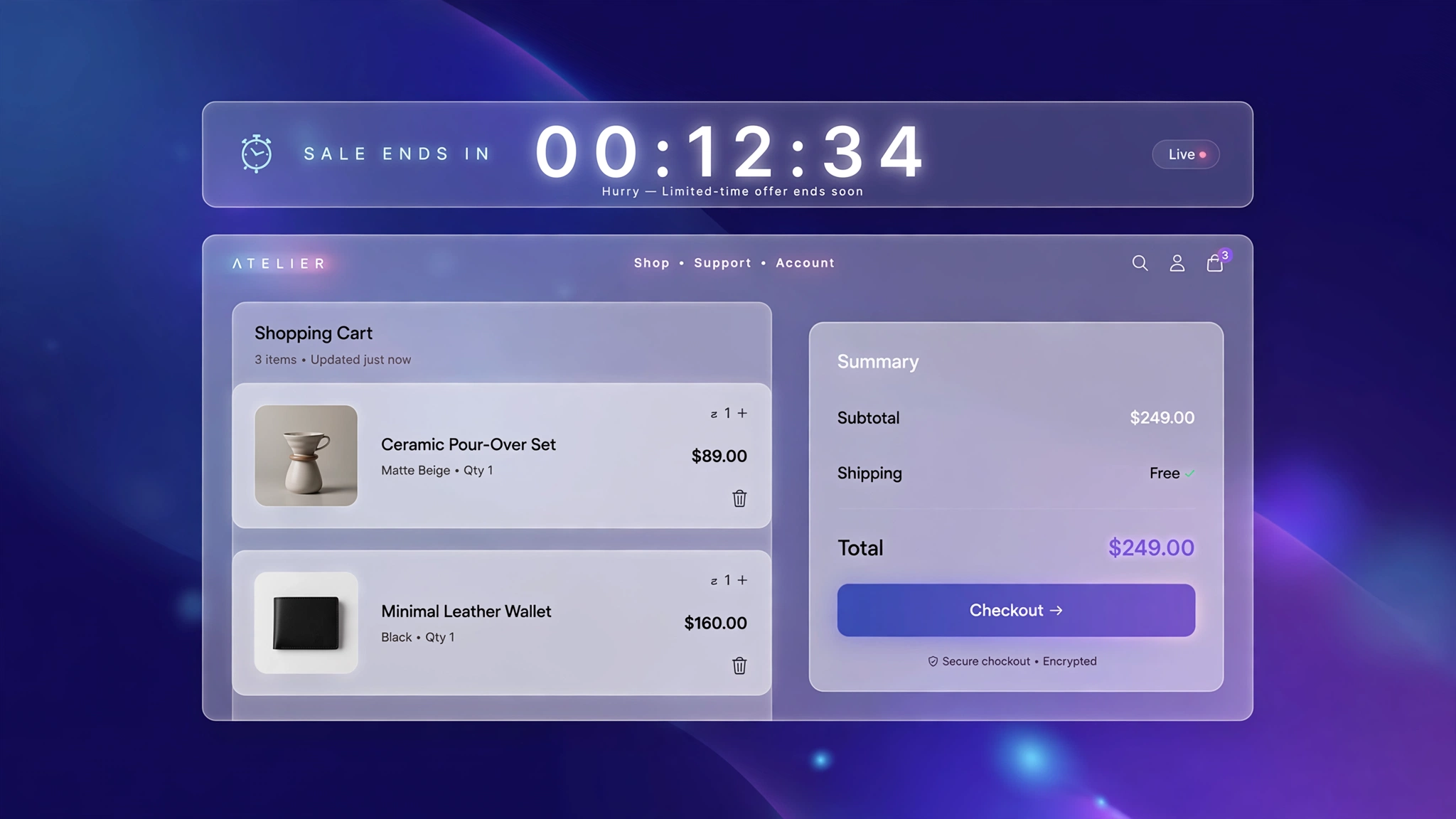
Urgency sells. When shoppers see a timer ticking down on their cart, ‘I’ll think about it’ turns into ‘I’d better check out now.’ Big brands pay monthly for urgency apps, but a countdown timer is genuinely simple: a few lines of JavaScript, a nice banner, done. These 6 timer designs range from subtle to impossible-to-ignore. Drop one into a Custom Liquid section on your cart page and give hesitant buyers the nudge they need — no app, no subscription, just urgency on demand.
1. Bold – Red Urgency Banner
Loud red banner for flash sales — the timer digits are huge and the message is direct. Use when you mean it.
Preview
Sample: Static preview — the live version ticks down every second and survives page reloads.
Liquid Code
{% comment %} LayoutKart - Cart Countdown Timer (Red Urgency) {% endcomment %}
<style>
.lk-timer-t1{background:#fef2f2;border:2px solid #ef4444;border-radius:12px;padding:14px 18px;margin:18px 0;
display:flex;align-items:center;justify-content:center;gap:14px;flex-wrap:wrap;font-family:inherit;}
.lk-timer-t1 .lk-head{font-weight:700;color:#991b1b;font-size:15px;}
.lk-timer-t1 .lk-digits{display:flex;gap:6px;}
.lk-timer-t1 .lk-d{background:#dc2626;color:#ffffff;font-weight:800;font-size:20px;min-width:52px;
text-align:center;padding:8px 6px;border-radius:8px;font-variant-numeric:tabular-nums;}
.lk-timer-t1 .lk-d small{display:block;font-size:10px;font-weight:600;opacity:.7;}
.lk-timer-t1 .lk-sub{font-size:13px;color:#991b1b;}
</style>
<div class="lk-timer-t1" id="lkTimert1">
  <span class="lk-head">⏰ Hurry! Your cart is reserved for:</span>
  <div class="lk-digits">
    <div class="lk-d"><span id="lkMint1">15</span><small>MIN</small></div>
    <div class="lk-d"><span id="lkSect1">00</span><small>SEC</small></div>
  </div>
  <span class="lk-sub">Checkout now before items sell out.</span>
</div>
<script>
(function(){
var KEY='lk_cart_timer_t1';
var end=parseInt(sessionStorage.getItem(KEY)||'0',10);
var now=Date.now();
if(!end||end<now){end=now+15*60*1000;sessionStorage.setItem(KEY,String(end));}
function pad(n){return (n<10?'0':'')+n;}
function tick(){
var left=Math.max(0,end-Date.now());
var m=Math.floor(left/60000),s=Math.floor(left%1000/1000);
var me=document.getElementById('lkMint1'),se=document.getElementById('lkSect1');
if(!me||!se)return;
me.textContent=pad(m);se.textContent=pad(s);
if(left<=0){clearInterval(iv);
var box=document.getElementById('lkTimert1');
if(box)box.querySelector('.lk-sub').textContent='Offer refreshed — timer restarted for you.';}}
var iv=setInterval(tick,1000);tick();
})();
</script>
2. Minimal – Slim Underline Timer
A whisper of urgency for premium brands — thin, quiet, but the ticking digits still do their psychological work.
Preview
Sample: Static preview — the live version ticks down every second and survives page reloads.
Liquid Code
{% comment %} LayoutKart - Cart Countdown Timer (Slim Minimal) {% endcomment %}
<style>
.lk-timer-t2{background:transparent;border:none;border-radius:4px;padding:14px 18px;margin:18px 0;
display:flex;align-items:center;justify-content:center;gap:14px;flex-wrap:wrap;font-family:inherit;}
.lk-timer-t2 .lk-head{font-weight:700;color:#111111;font-size:15px;}
.lk-timer-t2 .lk-digits{display:flex;gap:6px;}
.lk-timer-t2 .lk-d{background:#f3f4f6;color:#111111;font-weight:800;font-size:20px;min-width:52px;
text-align:center;padding:8px 6px;border-radius:8px;font-variant-numeric:tabular-nums;}
.lk-timer-t2 .lk-d small{display:block;font-size:10px;font-weight:600;opacity:.7;}
.lk-timer-t2 .lk-sub{font-size:13px;color:#111111;}
</style>
<div class="lk-timer-t2" id="lkTimert2">
  <span class="lk-head">Reserved for</span>
  <div class="lk-digits">
    <div class="lk-d"><span id="lkMint2">15</span><small>MIN</small></div>
    <div class="lk-d"><span id="lkSect2">00</span><small>SEC</small></div>
  </div>
  <span class="lk-sub">Complete your order soon.</span>
</div>
<script>
(function(){
var KEY='lk_cart_timer_t2';
var end=parseInt(sessionStorage.getItem(KEY)||'0',10);
var now=Date.now();
if(!end||end<now){end=now+15*60*1000;sessionStorage.setItem(KEY,String(end));}
function pad(n){return (n<10?'0':'')+n;}
function tick(){
var left=Math.max(0,end-Date.now());
var m=Math.floor(left/60000),s=Math.floor(left%1000/1000);
var me=document.getElementById('lkMint2'),se=document.getElementById('lkSect2');
if(!me||!se)return;
me.textContent=pad(m);se.textContent=pad(s);
if(left<=0){clearInterval(iv);
var box=document.getElementById('lkTimert2');
if(box)box.querySelector('.lk-sub').textContent='Offer refreshed — timer restarted for you.';}}
var iv=setInterval(tick,1000);tick();
})();
</script>
3. Dark – Midnight Timer
Dark premium timer with glowing digits — made for tech and luxury stores running limited drops.
Preview
Sample: Static preview — the live version ticks down every second and survives page reloads.
Liquid Code
{% comment %} LayoutKart - Cart Countdown Timer (Midnight Drop) {% endcomment %}
<style>
.lk-timer-t3{background:#0f172a;border:1px solid #1e293b;border-radius:10px;padding:14px 18px;margin:18px 0;
display:flex;align-items:center;justify-content:center;gap:14px;flex-wrap:wrap;font-family:inherit;}
.lk-timer-t3 .lk-head{font-weight:700;color:#f8fafc;font-size:15px;}
.lk-timer-t3 .lk-digits{display:flex;gap:6px;}
.lk-timer-t3 .lk-d{background:#1e293b;color:#fbbf24;font-weight:800;font-size:20px;min-width:52px;
text-align:center;padding:8px 6px;border-radius:8px;font-variant-numeric:tabular-nums;}
.lk-timer-t3 .lk-d small{display:block;font-size:10px;font-weight:600;opacity:.7;}
.lk-timer-t3 .lk-sub{font-size:13px;color:#f8fafc;}
</style>
<div class="lk-timer-t3" id="lkTimert3">
  <span class="lk-head">⚡ Drop ends in:</span>
  <div class="lk-digits">
    <div class="lk-d"><span id="lkMint3">15</span><small>MIN</small></div>
    <div class="lk-d"><span id="lkSect3">00</span><small>SEC</small></div>
  </div>
  <span class="lk-sub">Limited stock — when it's gone, it's gone.</span>
</div>
<script>
(function(){
var KEY='lk_cart_timer_t3';
var end=parseInt(sessionStorage.getItem(KEY)||'0',10);
var now=Date.now();
if(!end||end<now){end=now+15*60*1000;sessionStorage.setItem(KEY,String(end));}
function pad(n){return (n<10?'0':'')+n;}
function tick(){
var left=Math.max(0,end-Date.now());
var m=Math.floor(left/60000),s=Math.floor(left%1000/1000);
var me=document.getElementById('lkMint3'),se=document.getElementById('lkSect3');
if(!me||!se)return;
me.textContent=pad(m);se.textContent=pad(s);
if(left<=0){clearInterval(iv);
var box=document.getElementById('lkTimert3');
if(box)box.querySelector('.lk-sub').textContent='Offer refreshed — timer restarted for you.';}}
var iv=setInterval(tick,1000);tick();
})();
</script>
4. Pill – Floating Pill Badge
A compact floating pill — sits neatly above the checkout button without dominating the page.
Preview
Sample: Static preview — the live version ticks down every second and survives page reloads.
Liquid Code
{% comment %} LayoutKart - Cart Countdown Timer (Pill Badge) {% endcomment %}
<style>
.lk-timer-t4{background:#fff7ed;border:1px solid #fdba74;border-radius:99px;padding:14px 18px;margin:18px 0;
display:flex;align-items:center;justify-content:center;gap:14px;flex-wrap:wrap;font-family:inherit;}
.lk-timer-t4 .lk-head{font-weight:700;color:#7c2d12;font-size:15px;}
.lk-timer-t4 .lk-digits{display:flex;gap:6px;}
.lk-timer-t4 .lk-d{background:#ea580c;color:#ffffff;font-weight:800;font-size:20px;min-width:52px;
text-align:center;padding:8px 6px;border-radius:8px;font-variant-numeric:tabular-nums;}
.lk-timer-t4 .lk-d small{display:block;font-size:10px;font-weight:600;opacity:.7;}
.lk-timer-t4 .lk-sub{font-size:13px;color:#7c2d12;}
</style>
<div class="lk-timer-t4" id="lkTimert4">
  <span class="lk-head">Your items are held for</span>
  <div class="lk-digits">
    <div class="lk-d"><span id="lkMint4">15</span><small>MIN</small></div>
    <div class="lk-d"><span id="lkSect4">00</span><small>SEC</small></div>
  </div>
  <span class="lk-sub">Finish checkout to keep them.</span>
</div>
<script>
(function(){
var KEY='lk_cart_timer_t4';
var end=parseInt(sessionStorage.getItem(KEY)||'0',10);
var now=Date.now();
if(!end||end<now){end=now+15*60*1000;sessionStorage.setItem(KEY,String(end));}
function pad(n){return (n<10?'0':'')+n;}
function tick(){
var left=Math.max(0,end-Date.now());
var m=Math.floor(left/60000),s=Math.floor(left%1000/1000);
var me=document.getElementById('lkMint4'),se=document.getElementById('lkSect4');
if(!me||!se)return;
me.textContent=pad(m);se.textContent=pad(s);
if(left<=0){clearInterval(iv);
var box=document.getElementById('lkTimert4');
if(box)box.querySelector('.lk-sub').textContent='Offer refreshed — timer restarted for you.';}}
var iv=setInterval(tick,1000);tick();
})();
</script>
5. Ring – Timer with Progress Ring
Digits plus a CSS progress ring that drains as time passes — visual urgency for highly visual brands.
Preview
Sample: Static preview — the live version ticks down every second and survives page reloads.
Liquid Code
{% comment %} LayoutKart - Cart Countdown Timer (Ring Timer) {% endcomment %}
<style>
.lk-timer-t5{background:#f5f3ff;border:1px solid #c4b5fd;border-radius:16px;padding:14px 18px;margin:18px 0;
display:flex;align-items:center;justify-content:center;gap:14px;flex-wrap:wrap;font-family:inherit;}
.lk-timer-t5 .lk-head{font-weight:700;color:#4c1d95;font-size:15px;}
.lk-timer-t5 .lk-digits{display:flex;gap:6px;}
.lk-timer-t5 .lk-d{background:#7c3aed;color:#ffffff;font-weight:800;font-size:20px;min-width:52px;
text-align:center;padding:8px 6px;border-radius:8px;font-variant-numeric:tabular-nums;}
.lk-timer-t5 .lk-d small{display:block;font-size:10px;font-weight:600;opacity:.7;}
.lk-timer-t5 .lk-sub{font-size:13px;color:#4c1d95;}
</style>
<div class="lk-timer-t5" id="lkTimert5">
  <span class="lk-head">⏳ Time left to claim your cart:</span>
  <div class="lk-digits">
    <div class="lk-d"><span id="lkMint5">15</span><small>MIN</small></div>
    <div class="lk-d"><span id="lkSect5">00</span><small>SEC</small></div>
  </div>
  <span class="lk-sub">The ring drains as time passes.</span>
</div>
<script>
(function(){
var KEY='lk_cart_timer_t5';
var end=parseInt(sessionStorage.getItem(KEY)||'0',10);
var now=Date.now();
if(!end||end<now){end=now+15*60*1000;sessionStorage.setItem(KEY,String(end));}
function pad(n){return (n<10?'0':'')+n;}
function tick(){
var left=Math.max(0,end-Date.now());
var m=Math.floor(left/60000),s=Math.floor(left%1000/1000);
var me=document.getElementById('lkMint5'),se=document.getElementById('lkSect5');
if(!me||!se)return;
me.textContent=pad(m);se.textContent=pad(s);
if(left<=0){clearInterval(iv);
var box=document.getElementById('lkTimert5');
if(box)box.querySelector('.lk-sub').textContent='Offer refreshed — timer restarted for you.';}}
var iv=setInterval(tick,1000);tick();
})();
</script>
6. Checkout – Checkout-Style Strip
Styled like a checkout step — clean, trustworthy urgency that fits right above the checkout button.
Preview
Sample: Static preview — the live version ticks down every second and survives page reloads.
Liquid Code
{% comment %} LayoutKart - Cart Countdown Timer (Checkout Strip) {% endcomment %}
<style>
.lk-timer-t6{background:#eff6ff;border:1px solid #93c5fd;border-radius:8px;padding:14px 18px;margin:18px 0;
display:flex;align-items:center;justify-content:center;gap:14px;flex-wrap:wrap;font-family:inherit;}
.lk-timer-t6 .lk-head{font-weight:700;color:#1e3a8a;font-size:15px;}
.lk-timer-t6 .lk-digits{display:flex;gap:6px;}
.lk-timer-t6 .lk-d{background:#2563eb;color:#ffffff;font-weight:800;font-size:20px;min-width:52px;
text-align:center;padding:8px 6px;border-radius:8px;font-variant-numeric:tabular-nums;}
.lk-timer-t6 .lk-d small{display:block;font-size:10px;font-weight:600;opacity:.7;}
.lk-timer-t6 .lk-sub{font-size:13px;color:#1e3a8a;}
</style>
<div class="lk-timer-t6" id="lkTimert6">
  <span class="lk-head">Complete your purchase in</span>
  <div class="lk-digits">
    <div class="lk-d"><span id="lkMint6">15</span><small>MIN</small></div>
    <div class="lk-d"><span id="lkSect6">00</span><small>SEC</small></div>
  </div>
  <span class="lk-sub">Your cart total is locked during this time.</span>
</div>
<script>
(function(){
var KEY='lk_cart_timer_t6';
var end=parseInt(sessionStorage.getItem(KEY)||'0',10);
var now=Date.now();
if(!end||end<now){end=now+15*60*1000;sessionStorage.setItem(KEY,String(end));}
function pad(n){return (n<10?'0':'')+n;}
function tick(){
var left=Math.max(0,end-Date.now());
var m=Math.floor(left/60000),s=Math.floor(left%1000/1000);
var me=document.getElementById('lkMint6'),se=document.getElementById('lkSect6');
if(!me||!se)return;
me.textContent=pad(m);se.textContent=pad(s);
if(left<=0){clearInterval(iv);
var box=document.getElementById('lkTimert6');
if(box)box.querySelector('.lk-sub').textContent='Offer refreshed — timer restarted for you.';}}
var iv=setInterval(tick,1000);tick();
})();
</script>
How to Add Cart Countdown Timer to Shopify
No app needed — this works with a free built-in Shopify feature called the Custom Liquid section. It takes about two minutes:
- From your Shopify admin, go to Online Store → Themes.
- Click Customize next to your live theme (works with Dawn and all Online Store 2.0 themes).
- In the theme editor, use the top dropdown to navigate to your cart page (or product page for product-page effects).
- In the left sidebar, click Add section → Custom liquid.
- Delete the placeholder code, paste the code from your chosen variation above, and click Save.
- Preview your store — the effect is live instantly. Drag the section up or down to reposition it.
Tip: Always duplicate your theme first (Themes → … → Duplicate) so you have a backup before editing.
Customize the Cart Countdown Timer
- Duration: change
15 * 60to any minutes you want (e.g.30 * 60for 30 minutes). - Persistence: the timer uses sessionStorage, so it survives page reloads but resets in a new tab — fair and non-scammy.
- Message: rewrite the urgency text to match your tone, from gentle to aggressive.
- Expiry action: when the timer hits zero it shows a ‘time expired’ note — link it to a discount or just let it reset.
More Shopify Code Sections
Keep customizing your store with these copy-paste tutorials:
- Shopify Countdown Announcement Bar
- Shopify Cart Free Shipping Progress Bar (Boost AOV)
- Shopify Product Page Stock Counter
- Shopify Cart Page Announcement Message
- Shopify Sticky Add to Cart Bar
- Shopify Animated Sale Announcement Bar
- Shopify Discount Code Copy Button
- Shopify Cart Drawer Custom Design with Liquid
- Shopify Product Page Discount Banner
Conclusion
A countdown timer is honest urgency when you tie it to something real — a sale ending, stock running low, a cart reservation. Pick the design that fits your brand’s intensity, keep the duration believable, and watch hesitation turn into checkouts. Just remember: fake urgency burns trust fast, so use it on real offers.
Want a store that already has all of this built in? Check out LayoutKart’s readymade Shopify sections and templates — premium designs, clean Liquid code, ready to install.
