
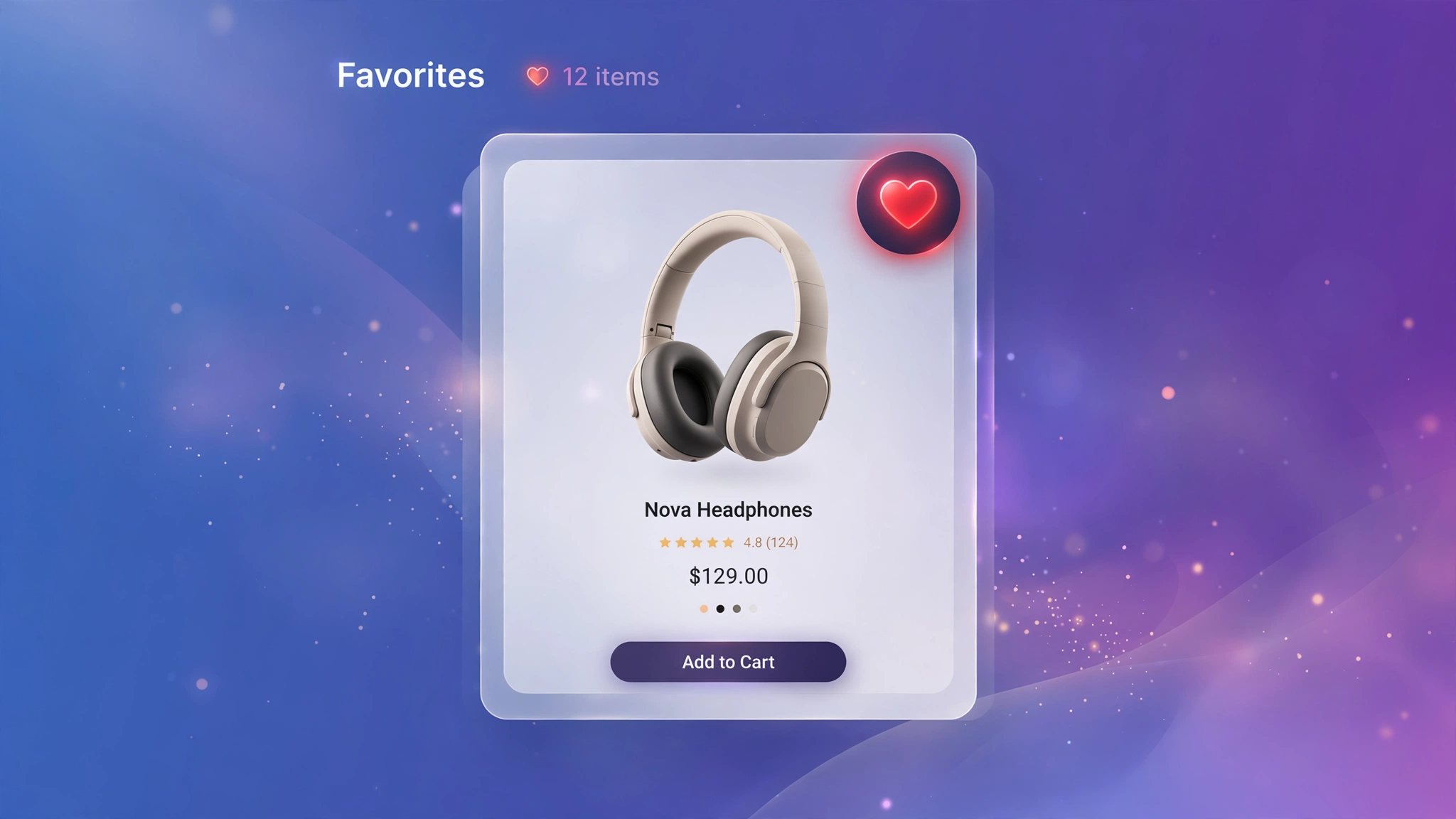
Wishlists are future sales sitting in a drawer — shoppers who favorite a product come back and convert at far higher rates. You do not need a wishlist app with a monthly fee: a heart button, a sprinkle of CSS, and browser localStorage do the job. The five designs below use a pure-CSS checkbox trick so the live preview actually toggles right here. The code adds localStorage persistence for your store.
1. Fashion – Heart Top-Right
The universal wishlist language: a heart in the top-right corner that fills red when tapped. Fashion shoppers recognize it instantly from every major retailer. The checkbox hack makes it toggle with zero JavaScript in the preview.
Preview
{{ product.title | default: ‘Ruffle Wrap Dress’ }}
{{ product.price | default: 3299 | money }}
Try it: click the heart to toggle the wishlist state
Liquid Code
<div class="lkc-wl1">
<div class="lkc-card">
  <div class="lkc-media">
    <div class="lkc-ph"></div>
    <span class="lkc-wl"><input type="checkbox" id="wl-a1"><label for="wl-a1">♥</label></span>
  </div>
  <div class="lkc-info">
    <h4>{{ product.title | default: 'Ruffle Wrap Dress' }}</h4>
    <p class="lkc-price">{{ product.price | default: 3299 | money }}</p>
    <button class="lkc-btn" type="button">Add to cart</button>
  </div>
</div>
</div>
<style>
.lkc-wl1{max-width:320px;margin:24px auto;font-family:-apple-system,'Segoe UI',Roboto,sans-serif}
.lkc-wl1 .lkc-card{background:#fff;border-radius:14px;overflow:hidden;box-shadow:0 2px 12px rgba(30,27,75,.10);transition:transform .35s ease,box-shadow .35s ease}
.lkc-wl1 .lkc-media{position:relative;aspect-ratio:4/5;overflow:hidden;background:#eef2ff}
.lkc-wl1 .lkc-ph{position:absolute;inset:0;background:linear-gradient(135deg,#c7d2fe 0%,#ddd6fe 55%,#e9d5ff 100%)}
.lkc-wl1 .lkc-ph2{position:absolute;inset:0;background:linear-gradient(135deg,#a5b4fc 0%,#c4b5fd 60%,#f0abfc 100%);opacity:0;transition:opacity .45s ease}
.lkc-wl1 .lkc-info{padding:14px 16px 18px;text-align:center}
.lkc-wl1 .lkc-info h4{margin:0 0 6px;font-size:16px;color:#1e1b4b;font-weight:600}
.lkc-wl1 .lkc-price{margin:0 0 12px;font-weight:700;color:#4f46e5;font-size:15px}
.lkc-wl1 .lkc-price s{color:#9ca3af;font-weight:400;margin-right:6px}
.lkc-wl1 .lkc-btn{display:inline-block;background:#4f46e5;color:#fff;border:0;border-radius:999px;padding:10px 24px;font-weight:600;cursor:pointer;font-size:14px;transition:background .25s,transform .25s}
.lkc-wl1 .lkc-btn:hover{background:#4338ca}
.lkc-wl1 .lkc-wl{position:absolute;top:10px;right:10px;z-index:2}.lkc-wl1 .lkc-wl input{display:none}.lkc-wl1 .lkc-wl label{display:flex;align-items:center;justify-content:center;width:38px;height:38px;border-radius:50%;background:rgba(255,255,255,.92);font-size:18px;cursor:pointer;color:#9ca3af;transition:all .25s;box-shadow:0 2px 8px rgba(0,0,0,.15)}.lkc-wl1 .lkc-wl input:checked+label{color:#e11d48;transform:scale(1.12)}
</style>
2. Jewelry – Diamond Toggle
A diamond-shaped toggle instead of a heart — on-brand for jewelers and twice as distinctive. Tapping fills it with gold. Small detail, big brand signal: your wishlist control looks like your product.
Preview
{{ product.title | default: ‘Emerald Pendant’ }}
{{ product.price | default: 18999 | money }}
Try it: click the diamond to toggle
Liquid Code
<div class="lkc-wl2">
<div class="lkc-card">
  <div class="lkc-media">
    <div class="lkc-ph"></div>
    <span class="lkc-wl"><input type="checkbox" id="wl-a2"><label for="wl-a2"><span>♦</span></label></span>
  </div>
  <div class="lkc-info">
    <h4>{{ product.title | default: 'Emerald Pendant' }}</h4>
    <p class="lkc-price">{{ product.price | default: 18999 | money }}</p>
    <button class="lkc-btn" type="button">Add to cart</button>
  </div>
</div>
</div>
<style>
.lkc-wl2{max-width:320px;margin:24px auto;font-family:-apple-system,'Segoe UI',Roboto,sans-serif}
.lkc-wl2 .lkc-card{background:#fff;border-radius:14px;overflow:hidden;box-shadow:0 2px 12px rgba(30,27,75,.10);transition:transform .35s ease,box-shadow .35s ease}
.lkc-wl2 .lkc-media{position:relative;aspect-ratio:4/5;overflow:hidden;background:#eef2ff}
.lkc-wl2 .lkc-ph{position:absolute;inset:0;background:linear-gradient(135deg,#c7d2fe 0%,#ddd6fe 55%,#e9d5ff 100%)}
.lkc-wl2 .lkc-ph2{position:absolute;inset:0;background:linear-gradient(135deg,#a5b4fc 0%,#c4b5fd 60%,#f0abfc 100%);opacity:0;transition:opacity .45s ease}
.lkc-wl2 .lkc-info{padding:14px 16px 18px;text-align:center}
.lkc-wl2 .lkc-info h4{margin:0 0 6px;font-size:16px;color:#1e1b4b;font-weight:600}
.lkc-wl2 .lkc-price{margin:0 0 12px;font-weight:700;color:#4f46e5;font-size:15px}
.lkc-wl2 .lkc-price s{color:#9ca3af;font-weight:400;margin-right:6px}
.lkc-wl2 .lkc-btn{display:inline-block;background:#4f46e5;color:#fff;border:0;border-radius:999px;padding:10px 24px;font-weight:600;cursor:pointer;font-size:14px;transition:background .25s,transform .25s}
.lkc-wl2 .lkc-btn:hover{background:#4338ca}
.lkc-wl2 .lkc-wl{position:absolute;top:12px;right:12px;z-index:2}.lkc-wl2 .lkc-wl input{display:none}.lkc-wl2 .lkc-wl label{display:flex;align-items:center;justify-content:center;width:40px;height:40px;background:rgba(255,255,255,.94);transform:rotate(45deg);border-radius:8px;font-size:16px;cursor:pointer;color:#9ca3af;transition:all .25s;box-shadow:0 2px 8px rgba(0,0,0,.15)}.lkc-wl2 .lkc-wl label span{transform:rotate(-45deg)}.lkc-wl2 .lkc-wl input:checked+label{color:#b08d2e}
</style>
3. Beauty – Floating Heart Bubble
A soft pink bubble that floats above the corner and pops with a little bounce when activated. Beauty shoppers are emotional buyers; a playful micro-interaction matches the vibe. The bounce keyframe makes every tap satisfying.
Preview
{{ product.title | default: ‘Vitamin C Drops’ }}
{{ product.price | default: 1499 | money }}
Try it: click the bubble to feel the pop
Liquid Code
<div class="lkc-wl3">
<div class="lkc-card">
  <div class="lkc-media">
    <div class="lkc-ph"></div>
    <span class="lkc-wl"><input type="checkbox" id="wl-a3"><label for="wl-a3">♥</label></span>
  </div>
  <div class="lkc-info">
    <h4>{{ product.title | default: 'Vitamin C Drops' }}</h4>
    <p class="lkc-price">{{ product.price | default: 1499 | money }}</p>
    <button class="lkc-btn" type="button">Add to cart</button>
  </div>
</div>
</div>
<style>
.lkc-wl3{max-width:320px;margin:24px auto;font-family:-apple-system,'Segoe UI',Roboto,sans-serif}
.lkc-wl3 .lkc-card{background:#fff;border-radius:14px;overflow:hidden;box-shadow:0 2px 12px rgba(30,27,75,.10);transition:transform .35s ease,box-shadow .35s ease}
.lkc-wl3 .lkc-media{position:relative;aspect-ratio:4/5;overflow:hidden;background:#eef2ff}
.lkc-wl3 .lkc-ph{position:absolute;inset:0;background:linear-gradient(135deg,#c7d2fe 0%,#ddd6fe 55%,#e9d5ff 100%)}
.lkc-wl3 .lkc-ph2{position:absolute;inset:0;background:linear-gradient(135deg,#a5b4fc 0%,#c4b5fd 60%,#f0abfc 100%);opacity:0;transition:opacity .45s ease}
.lkc-wl3 .lkc-info{padding:14px 16px 18px;text-align:center}
.lkc-wl3 .lkc-info h4{margin:0 0 6px;font-size:16px;color:#1e1b4b;font-weight:600}
.lkc-wl3 .lkc-price{margin:0 0 12px;font-weight:700;color:#4f46e5;font-size:15px}
.lkc-wl3 .lkc-price s{color:#9ca3af;font-weight:400;margin-right:6px}
.lkc-wl3 .lkc-btn{display:inline-block;background:#4f46e5;color:#fff;border:0;border-radius:999px;padding:10px 24px;font-weight:600;cursor:pointer;font-size:14px;transition:background .25s,transform .25s}
.lkc-wl3 .lkc-btn:hover{background:#4338ca}
.lkc-wl3 .lkc-wl{position:absolute;top:10px;right:10px;z-index:2}.lkc-wl3 .lkc-wl input{display:none}.lkc-wl3 .lkc-wl label{display:flex;align-items:center;justify-content:center;width:42px;height:42px;border-radius:50%;background:#fce7f3;font-size:19px;cursor:pointer;color:#be185d;transition:transform .25s}.lkc-wl3 .lkc-wl input:checked+label{animation:pop .35s ease}@keyframes pop{50%{transform:scale(1.3)}}
</style>
4. Electronics – Bookmark Ribbon
A bookmark ribbon instead of a heart — “save for later” reads more rational, which suits tech purchases. The ribbon fills electric blue when saved. Great for high-consideration products where shoppers compare before buying.
Preview
{{ product.title | default: ‘Noise Cancelling Buds’ }}
{{ product.price | default: 6999 | money }}
Try it: click the ribbon to save it
Liquid Code
<div class="lkc-wl4">
<div class="lkc-card">
  <div class="lkc-media">
    <div class="lkc-ph"></div>
    <span class="lkc-wl"><input type="checkbox" id="wl-a4"><label for="wl-a4"></label></span>
  </div>
  <div class="lkc-info">
    <h4>{{ product.title | default: 'Noise Cancelling Buds' }}</h4>
    <p class="lkc-price">{{ product.price | default: 6999 | money }}</p>
    <button class="lkc-btn" type="button">Add to cart</button>
  </div>
</div>
</div>
<style>
.lkc-wl4{max-width:320px;margin:24px auto;font-family:-apple-system,'Segoe UI',Roboto,sans-serif}
.lkc-wl4 .lkc-card{background:#fff;border-radius:14px;overflow:hidden;box-shadow:0 2px 12px rgba(30,27,75,.10);transition:transform .35s ease,box-shadow .35s ease}
.lkc-wl4 .lkc-media{position:relative;aspect-ratio:4/5;overflow:hidden;background:#eef2ff}
.lkc-wl4 .lkc-ph{position:absolute;inset:0;background:linear-gradient(135deg,#c7d2fe 0%,#ddd6fe 55%,#e9d5ff 100%)}
.lkc-wl4 .lkc-ph2{position:absolute;inset:0;background:linear-gradient(135deg,#a5b4fc 0%,#c4b5fd 60%,#f0abfc 100%);opacity:0;transition:opacity .45s ease}
.lkc-wl4 .lkc-info{padding:14px 16px 18px;text-align:center}
.lkc-wl4 .lkc-info h4{margin:0 0 6px;font-size:16px;color:#1e1b4b;font-weight:600}
.lkc-wl4 .lkc-price{margin:0 0 12px;font-weight:700;color:#4f46e5;font-size:15px}
.lkc-wl4 .lkc-price s{color:#9ca3af;font-weight:400;margin-right:6px}
.lkc-wl4 .lkc-btn{display:inline-block;background:#4f46e5;color:#fff;border:0;border-radius:999px;padding:10px 24px;font-weight:600;cursor:pointer;font-size:14px;transition:background .25s,transform .25s}
.lkc-wl4 .lkc-btn:hover{background:#4338ca}
.lkc-wl4 .lkc-wl{position:absolute;top:0;right:14px;z-index:2}.lkc-wl4 .lkc-wl input{display:none}.lkc-wl4 .lkc-wl label{display:block;width:30px;height:42px;background:rgba(255,255,255,.92);cursor:pointer;clip-path:polygon(0 0,100% 0,100% 100%,50% 78%,0 100%);transition:background .25s}.lkc-wl4 .lkc-wl input:checked+label{background:#0284c7}
</style>
5. Kids – Star Wishlist
A chunky star for kids stores — “star it!” is language children understand, and parents find it charming. The star fills sunny yellow with a wiggle. Perfect for toy and kids-fashion catalogs where fun beats minimalism.
Preview
{{ product.title | default: ‘Robot Building Set’ }}
{{ product.price | default: 2499 | money }}
Try it: click the star to favorite it
Liquid Code
<div class="lkc-wl5">
<div class="lkc-card">
  <div class="lkc-media">
    <div class="lkc-ph"></div>
    <span class="lkc-wl"><input type="checkbox" id="wl-a5"><label for="wl-a5">★</label></span>
  </div>
  <div class="lkc-info">
    <h4>{{ product.title | default: 'Robot Building Set' }}</h4>
    <p class="lkc-price">{{ product.price | default: 2499 | money }}</p>
    <button class="lkc-btn" type="button">Add to cart</button>
  </div>
</div>
</div>
<style>
.lkc-wl5{max-width:320px;margin:24px auto;font-family:-apple-system,'Segoe UI',Roboto,sans-serif}
.lkc-wl5 .lkc-card{background:#fff;border-radius:14px;overflow:hidden;box-shadow:0 2px 12px rgba(30,27,75,.10);transition:transform .35s ease,box-shadow .35s ease}
.lkc-wl5 .lkc-media{position:relative;aspect-ratio:4/5;overflow:hidden;background:#eef2ff}
.lkc-wl5 .lkc-ph{position:absolute;inset:0;background:linear-gradient(135deg,#c7d2fe 0%,#ddd6fe 55%,#e9d5ff 100%)}
.lkc-wl5 .lkc-ph2{position:absolute;inset:0;background:linear-gradient(135deg,#a5b4fc 0%,#c4b5fd 60%,#f0abfc 100%);opacity:0;transition:opacity .45s ease}
.lkc-wl5 .lkc-info{padding:14px 16px 18px;text-align:center}
.lkc-wl5 .lkc-info h4{margin:0 0 6px;font-size:16px;color:#1e1b4b;font-weight:600}
.lkc-wl5 .lkc-price{margin:0 0 12px;font-weight:700;color:#4f46e5;font-size:15px}
.lkc-wl5 .lkc-price s{color:#9ca3af;font-weight:400;margin-right:6px}
.lkc-wl5 .lkc-btn{display:inline-block;background:#4f46e5;color:#fff;border:0;border-radius:999px;padding:10px 24px;font-weight:600;cursor:pointer;font-size:14px;transition:background .25s,transform .25s}
.lkc-wl5 .lkc-btn:hover{background:#4338ca}
.lkc-wl5 .lkc-wl{position:absolute;top:10px;right:10px;z-index:2}.lkc-wl5 .lkc-wl input{display:none}.lkc-wl5 .lkc-wl label{display:flex;align-items:center;justify-content:center;width:40px;height:40px;border-radius:50%;background:rgba(255,255,255,.94);font-size:20px;cursor:pointer;color:#d1d5db;transition:all .25s}.lkc-wl5 .lkc-wl input:checked+label{color:#f59e0b;animation:wiggle2 .4s ease}@keyframes wiggle2{25%{transform:rotate(-12deg)}75%{transform:rotate(12deg)}}
</style>
How to Add Wishlist Button to Shopify
- In your Shopify admin, go to Online Store → Themes.
- Click Customize on your published theme.
- At the top, pick the template where you want the demo (e.g. Collection → Default collection).
- Click Add section → Custom liquid.
- Paste the code from above into the Custom liquid box and click Save. That is it — no apps, no theme-file edits.
Customize the Wishlist Button
- The pasted code upgrades the toggle with localStorage, so hearts stay filled across visits.
- Sync wishlists to accounts later with a customer metafield — start local, scale up.
- Change the active color to your brand accent for instant cohesion.
- Add a wishlist counter in the header using the same localStorage key.
More Shopify Code Sections
- Shopify Product Card Hover Effect (Liquid + CSS)
- Shopify Product Card Quick View Button
- Shopify Product Card AJAX Add to Cart (No Refresh)
- Shopify Collection Product Grid Custom CSS
- Shopify Cart Upsell Section
- Shopify Sticky Add to Cart Bar
- Shopify Product Page Buy Now Button Custom Design
- Shopify Testimonial Auto Slider
Conclusion
A wishlist button turns browsers into future buyers — and with localStorage, you get it without an app or a backend. Drop one of these five designs into a Custom liquid section, and start collecting intent signals you can later turn into “back in stock” and “price drop” campaigns.
Want effects like these on your whole store, done for you? LayoutKart builds conversion-focused Shopify stores with premium touches baked in — no apps needed.
