
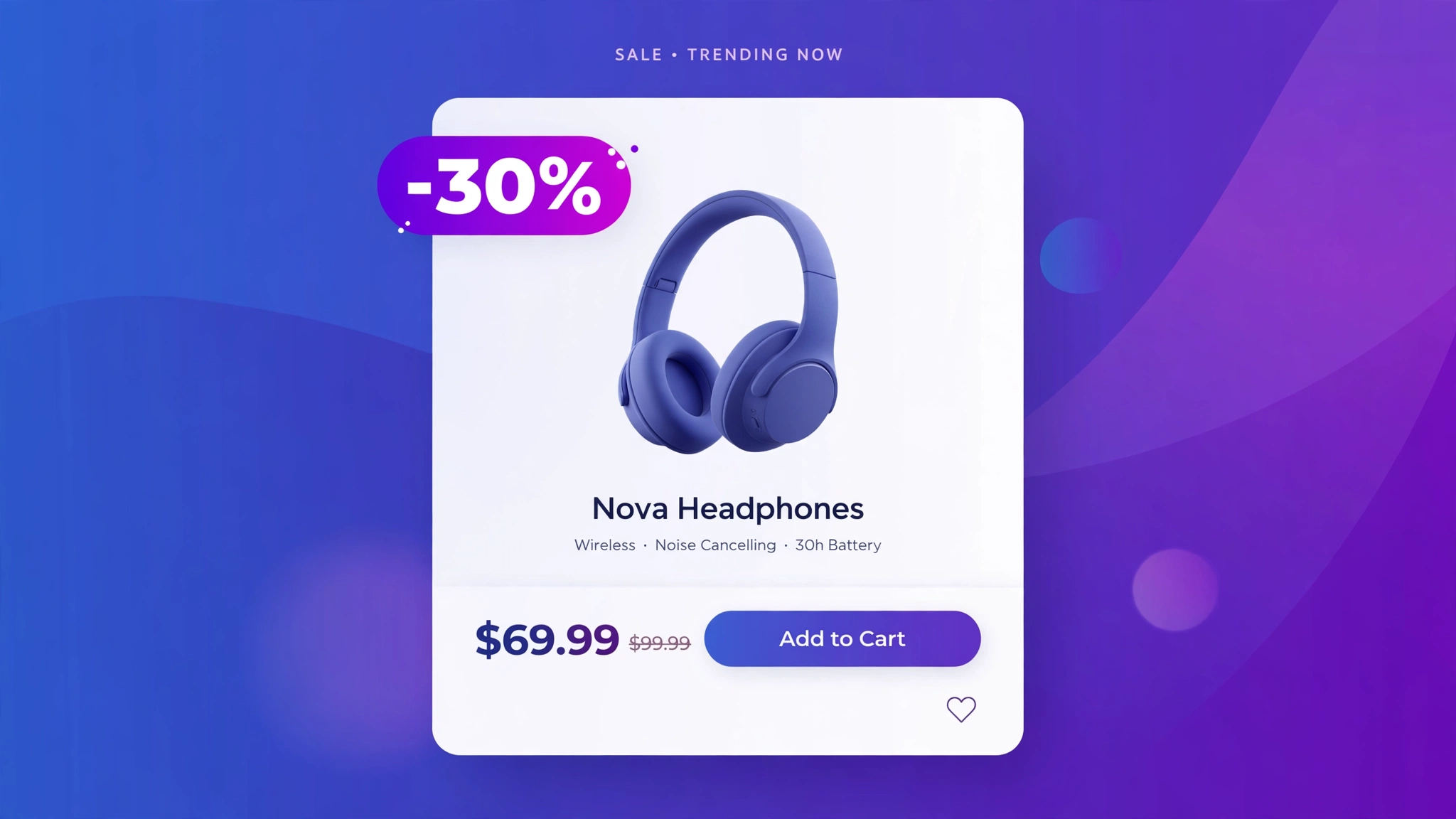
“SALE” is vague — “-30%” is a number, and numbers sell. A discount percentage badge tells shoppers exactly how much they save, which beats a generic sale tag in every test we have seen. Liquid calculates it live from compare_at_price, so the math is always right. Five badge styles below, each previewed live and ready for a Custom liquid section.
1. Fashion – Red Circle “-25%”
The e-commerce classic: a bold red circle shouting the exact percentage. Fashion shoppers scan for these like hawks. The Liquid math — compare minus price, divided by compare — rounds to a whole number so you never show “-24.7%”.
Preview
{% if cmp > pr %}-{{ pct }}%{% endif %}
{{ product.title | default: ‘Pleated Wrap Dress’ }}
{{ product.price | default: 5999 | money }}
Try it: hover over the card above
Liquid Code
<div class="lkc-dp1">
{% assign cmp = product.compare_at_price | default: 7999 %}{% assign pr = product.price | default: 5999 %}{% assign pct = cmp | minus: pr | times: 100.0 | divided_by: cmp | round %}<div class="lkc-card">
  <div class="lkc-media">
    <div class="lkc-ph"></div>
    {% if cmp > pr %}<span class="lkc-pct">-{{ pct }}%</span>{% endif %}
  </div>
  <div class="lkc-info">
    <h4>{{ product.title | default: 'Pleated Wrap Dress' }}</h4>
    <p class="lkc-price">{{ product.price | default: 5999 | money }}</p>
    <button class="lkc-btn" type="button">Add to cart</button>
  </div>
</div>
</div>
<style>
.lkc-dp1{max-width:320px;margin:24px auto;font-family:-apple-system,'Segoe UI',Roboto,sans-serif}
.lkc-dp1 .lkc-card{background:#fff;border-radius:14px;overflow:hidden;box-shadow:0 2px 12px rgba(30,27,75,.10);transition:transform .35s ease,box-shadow .35s ease}
.lkc-dp1 .lkc-media{position:relative;aspect-ratio:4/5;overflow:hidden;background:#eef2ff}
.lkc-dp1 .lkc-ph{position:absolute;inset:0;background:linear-gradient(135deg,#c7d2fe 0%,#ddd6fe 55%,#e9d5ff 100%)}
.lkc-dp1 .lkc-ph2{position:absolute;inset:0;background:linear-gradient(135deg,#a5b4fc 0%,#c4b5fd 60%,#f0abfc 100%);opacity:0;transition:opacity .45s ease}
.lkc-dp1 .lkc-info{padding:14px 16px 18px;text-align:center}
.lkc-dp1 .lkc-info h4{margin:0 0 6px;font-size:16px;color:#1e1b4b;font-weight:600}
.lkc-dp1 .lkc-price{margin:0 0 12px;font-weight:700;color:#4f46e5;font-size:15px}
.lkc-dp1 .lkc-price s{color:#9ca3af;font-weight:400;margin-right:6px}
.lkc-dp1 .lkc-btn{display:inline-block;background:#4f46e5;color:#fff;border:0;border-radius:999px;padding:10px 24px;font-weight:600;cursor:pointer;font-size:14px;transition:background .25s,transform .25s}
.lkc-dp1 .lkc-btn:hover{background:#4338ca}
.lkc-dp1 .lkc-pct{position:absolute;top:12px;right:12px;width:56px;height:56px;border-radius:50%;background:#dc2626;color:#fff;display:flex;align-items:center;justify-content:center;font-weight:800;font-size:13px;box-shadow:0 4px 10px rgba(220,38,38,.45)}
</style>
2. Electronics – Black Slash Tag
A sharp black tag with a slashed edge — aggressive pricing needs aggressive design. Gadget stores run constant promos, and this badge looks like it belongs on a spec sheet. White text keeps it readable at any size.
Preview
{% if cmp > pr %}-{{ pct }}%{% endif %}
{{ product.title | default: ‘Thunder Speaker’ }}
{{ product.price | default: 11999 | money }}
Try it: hover over the card above
Liquid Code
<div class="lkc-dp2">
{% assign cmp = product.compare_at_price | default: 15999 %}{% assign pr = product.price | default: 11999 %}{% assign pct = cmp | minus: pr | times: 100.0 | divided_by: cmp | round %}<div class="lkc-card">
  <div class="lkc-media">
    <div class="lkc-ph"></div>
    {% if cmp > pr %}<span class="lkc-pct">-{{ pct }}%</span>{% endif %}
  </div>
  <div class="lkc-info">
    <h4>{{ product.title | default: 'Thunder Speaker' }}</h4>
    <p class="lkc-price">{{ product.price | default: 11999 | money }}</p>
    <button class="lkc-btn" type="button">Add to cart</button>
  </div>
</div>
</div>
<style>
.lkc-dp2{max-width:320px;margin:24px auto;font-family:-apple-system,'Segoe UI',Roboto,sans-serif}
.lkc-dp2 .lkc-card{background:#fff;border-radius:14px;overflow:hidden;box-shadow:0 2px 12px rgba(30,27,75,.10);transition:transform .35s ease,box-shadow .35s ease}
.lkc-dp2 .lkc-media{position:relative;aspect-ratio:4/5;overflow:hidden;background:#eef2ff}
.lkc-dp2 .lkc-ph{position:absolute;inset:0;background:linear-gradient(135deg,#c7d2fe 0%,#ddd6fe 55%,#e9d5ff 100%)}
.lkc-dp2 .lkc-ph2{position:absolute;inset:0;background:linear-gradient(135deg,#a5b4fc 0%,#c4b5fd 60%,#f0abfc 100%);opacity:0;transition:opacity .45s ease}
.lkc-dp2 .lkc-info{padding:14px 16px 18px;text-align:center}
.lkc-dp2 .lkc-info h4{margin:0 0 6px;font-size:16px;color:#1e1b4b;font-weight:600}
.lkc-dp2 .lkc-price{margin:0 0 12px;font-weight:700;color:#4f46e5;font-size:15px}
.lkc-dp2 .lkc-price s{color:#9ca3af;font-weight:400;margin-right:6px}
.lkc-dp2 .lkc-btn{display:inline-block;background:#4f46e5;color:#fff;border:0;border-radius:999px;padding:10px 24px;font-weight:600;cursor:pointer;font-size:14px;transition:background .25s,transform .25s}
.lkc-dp2 .lkc-btn:hover{background:#4338ca}
.lkc-dp2 .lkc-pct{position:absolute;top:14px;left:0;background:#111827;color:#fff;font-weight:800;font-size:12px;padding:7px 16px 7px 12px;clip-path:polygon(0 0,100% 0,calc(100% - 10px) 50%,100% 100%,0 100%)}
</style>
3. Grocery – Green Sticker
A tilted green sticker like the ones on supermarket shelves — grocery shoppers trust this visual language instantly. The slight rotation makes it feel stuck on by hand. Use it for bundle deals and clearance on pantry staples.
Preview
{% if cmp > pr %}-{{ pct }}%{% endif %}
{{ product.title | default: ‘Protein Oats Pack’ }}
{{ product.price | default: 649 | money }}
Try it: hover over the card above
Liquid Code
<div class="lkc-dp3">
{% assign cmp = product.compare_at_price | default: 899 %}{% assign pr = product.price | default: 649 %}{% assign pct = cmp | minus: pr | times: 100.0 | divided_by: cmp | round %}<div class="lkc-card">
  <div class="lkc-media">
    <div class="lkc-ph"></div>
    {% if cmp > pr %}<span class="lkc-pct">-{{ pct }}%</span>{% endif %}
  </div>
  <div class="lkc-info">
    <h4>{{ product.title | default: 'Protein Oats Pack' }}</h4>
    <p class="lkc-price">{{ product.price | default: 649 | money }}</p>
    <button class="lkc-btn" type="button">Add to cart</button>
  </div>
</div>
</div>
<style>
.lkc-dp3{max-width:320px;margin:24px auto;font-family:-apple-system,'Segoe UI',Roboto,sans-serif}
.lkc-dp3 .lkc-card{background:#fff;border-radius:14px;overflow:hidden;box-shadow:0 2px 12px rgba(30,27,75,.10);transition:transform .35s ease,box-shadow .35s ease}
.lkc-dp3 .lkc-media{position:relative;aspect-ratio:4/5;overflow:hidden;background:#eef2ff}
.lkc-dp3 .lkc-ph{position:absolute;inset:0;background:linear-gradient(135deg,#c7d2fe 0%,#ddd6fe 55%,#e9d5ff 100%)}
.lkc-dp3 .lkc-ph2{position:absolute;inset:0;background:linear-gradient(135deg,#a5b4fc 0%,#c4b5fd 60%,#f0abfc 100%);opacity:0;transition:opacity .45s ease}
.lkc-dp3 .lkc-info{padding:14px 16px 18px;text-align:center}
.lkc-dp3 .lkc-info h4{margin:0 0 6px;font-size:16px;color:#1e1b4b;font-weight:600}
.lkc-dp3 .lkc-price{margin:0 0 12px;font-weight:700;color:#4f46e5;font-size:15px}
.lkc-dp3 .lkc-price s{color:#9ca3af;font-weight:400;margin-right:6px}
.lkc-dp3 .lkc-btn{display:inline-block;background:#4f46e5;color:#fff;border:0;border-radius:999px;padding:10px 24px;font-weight:600;cursor:pointer;font-size:14px;transition:background .25s,transform .25s}
.lkc-dp3 .lkc-btn:hover{background:#4338ca}
.lkc-dp3 .lkc-pct{position:absolute;top:14px;right:14px;background:#16a34a;color:#fff;font-weight:800;font-size:13px;padding:9px 13px;border-radius:6px;transform:rotate(6deg);box-shadow:0 3px 8px rgba(0,0,0,.25)}
</style>
4. Luxury – Gold Foil Badge
Even discounts can look expensive. A gold-foil pill with dark bronze text says “exclusive offer” rather than “cheap sale.” Luxury brands discount quietly — this badge respects that while still communicating the number clearly.
Preview
{% if cmp > pr %}-{{ pct }}%{% endif %}
{{ product.title | default: ‘Milano Tote’ }}
{{ product.price | default: 41600 | money }}
Try it: hover over the card above
Liquid Code
<div class="lkc-dp4">
{% assign cmp = product.compare_at_price | default: 52000 %}{% assign pr = product.price | default: 41600 %}{% assign pct = cmp | minus: pr | times: 100.0 | divided_by: cmp | round %}<div class="lkc-card">
  <div class="lkc-media">
    <div class="lkc-ph"></div>
    {% if cmp > pr %}<span class="lkc-pct">-{{ pct }}%</span>{% endif %}
  </div>
  <div class="lkc-info">
    <h4>{{ product.title | default: 'Milano Tote' }}</h4>
    <p class="lkc-price">{{ product.price | default: 41600 | money }}</p>
    <button class="lkc-btn" type="button">Add to cart</button>
  </div>
</div>
</div>
<style>
.lkc-dp4{max-width:320px;margin:24px auto;font-family:-apple-system,'Segoe UI',Roboto,sans-serif}
.lkc-dp4 .lkc-card{background:#fff;border-radius:14px;overflow:hidden;box-shadow:0 2px 12px rgba(30,27,75,.10);transition:transform .35s ease,box-shadow .35s ease}
.lkc-dp4 .lkc-media{position:relative;aspect-ratio:4/5;overflow:hidden;background:#eef2ff}
.lkc-dp4 .lkc-ph{position:absolute;inset:0;background:linear-gradient(135deg,#c7d2fe 0%,#ddd6fe 55%,#e9d5ff 100%)}
.lkc-dp4 .lkc-ph2{position:absolute;inset:0;background:linear-gradient(135deg,#a5b4fc 0%,#c4b5fd 60%,#f0abfc 100%);opacity:0;transition:opacity .45s ease}
.lkc-dp4 .lkc-info{padding:14px 16px 18px;text-align:center}
.lkc-dp4 .lkc-info h4{margin:0 0 6px;font-size:16px;color:#1e1b4b;font-weight:600}
.lkc-dp4 .lkc-price{margin:0 0 12px;font-weight:700;color:#4f46e5;font-size:15px}
.lkc-dp4 .lkc-price s{color:#9ca3af;font-weight:400;margin-right:6px}
.lkc-dp4 .lkc-btn{display:inline-block;background:#4f46e5;color:#fff;border:0;border-radius:999px;padding:10px 24px;font-weight:600;cursor:pointer;font-size:14px;transition:background .25s,transform .25s}
.lkc-dp4 .lkc-btn:hover{background:#4338ca}
.lkc-dp4 .lkc-pct{position:absolute;top:12px;left:12px;background:linear-gradient(135deg,#fde68a,#d4af37);color:#4a3205;font-weight:800;font-size:12px;letter-spacing:.5px;padding:7px 15px;border-radius:999px;border:1px solid #fff7dd;box-shadow:0 3px 10px rgba(0,0,0,.22)}
</style>
5. Sports – Pulse Bar Badge
A compact bar badge with a pulsing glow — built for flash sales where every second counts. The pulse animation draws the eye without being as loud as a starburst. Sports nutrition and activewear brands, this is yours.
Preview
{% if cmp > pr %}-{{ pct }}%{% endif %}
{{ product.title | default: ‘Pro Training Kit’ }}
{{ product.price | default: 3499 | money }}
Try it: hover over the card above
Liquid Code
<div class="lkc-dp5">
{% assign cmp = product.compare_at_price | default: 4999 %}{% assign pr = product.price | default: 3499 %}{% assign pct = cmp | minus: pr | times: 100.0 | divided_by: cmp | round %}<div class="lkc-card">
  <div class="lkc-media">
    <div class="lkc-ph"></div>
    {% if cmp > pr %}<span class="lkc-pct">-{{ pct }}%</span>{% endif %}
  </div>
  <div class="lkc-info">
    <h4>{{ product.title | default: 'Pro Training Kit' }}</h4>
    <p class="lkc-price">{{ product.price | default: 3499 | money }}</p>
    <button class="lkc-btn" type="button">Add to cart</button>
  </div>
</div>
</div>
<style>
.lkc-dp5{max-width:320px;margin:24px auto;font-family:-apple-system,'Segoe UI',Roboto,sans-serif}
.lkc-dp5 .lkc-card{background:#fff;border-radius:14px;overflow:hidden;box-shadow:0 2px 12px rgba(30,27,75,.10);transition:transform .35s ease,box-shadow .35s ease}
.lkc-dp5 .lkc-media{position:relative;aspect-ratio:4/5;overflow:hidden;background:#eef2ff}
.lkc-dp5 .lkc-ph{position:absolute;inset:0;background:linear-gradient(135deg,#c7d2fe 0%,#ddd6fe 55%,#e9d5ff 100%)}
.lkc-dp5 .lkc-ph2{position:absolute;inset:0;background:linear-gradient(135deg,#a5b4fc 0%,#c4b5fd 60%,#f0abfc 100%);opacity:0;transition:opacity .45s ease}
.lkc-dp5 .lkc-info{padding:14px 16px 18px;text-align:center}
.lkc-dp5 .lkc-info h4{margin:0 0 6px;font-size:16px;color:#1e1b4b;font-weight:600}
.lkc-dp5 .lkc-price{margin:0 0 12px;font-weight:700;color:#4f46e5;font-size:15px}
.lkc-dp5 .lkc-price s{color:#9ca3af;font-weight:400;margin-right:6px}
.lkc-dp5 .lkc-btn{display:inline-block;background:#4f46e5;color:#fff;border:0;border-radius:999px;padding:10px 24px;font-weight:600;cursor:pointer;font-size:14px;transition:background .25s,transform .25s}
.lkc-dp5 .lkc-btn:hover{background:#4338ca}
.lkc-dp5 .lkc-pct{position:absolute;top:12px;right:12px;background:#7c3aed;color:#fff;font-weight:800;font-size:12px;padding:7px 13px;border-radius:8px;animation:pulse 1.8s ease-in-out infinite}@keyframes pulse{50%{box-shadow:0 0 0 6px rgba(124,58,237,.25)}}
</style>
How to Add Discount Percentage Badge to Shopify
- In your Shopify admin, go to Online Store → Themes.
- Click Customize on your published theme.
- At the top, pick the template where you want the demo (e.g. Collection → Default collection).
- Click Add section → Custom liquid.
- Paste the code from above into the Custom liquid box and click Save. That is it — no apps, no theme-file edits.
Customize the Discount Percentage Badge
- The percentage is auto-calculated: change compare-at prices in Shopify and every badge updates itself.
- Round differently with Liquid: swap round for floor to always show “-24%” instead of “-25%”.
- Show “Save ₹X” instead by replacing the math with cmp | minus: pr | money.
- Hide tiny discounts: wrap the badge in {% if pct >= 10 %} so only real deals get flagged.
More Shopify Code Sections
- Shopify Product Card Sale Badge with Liquid
- Shopify Custom ‘New Arrival’ Badge with Liquid
- Shopify Product Card Hover Effect (Liquid + CSS)
- Shopify Free Shipping Progress Bar
- Shopify Product Page Discount Banner
- Shopify Automatic Coupon Code Display
- Shopify Collection Product Grid Custom CSS
- Shopify Countdown Announcement Bar
Conclusion
Specific beats vague: “-30%” will always outperform a plain “SALE” tag. With Liquid doing the math from your compare-at prices, these badges are accurate forever with zero maintenance. Pick a style, paste it into a Custom liquid section, and let the numbers do the persuading.
Want effects like these on your whole store, done for you? LayoutKart builds conversion-focused Shopify stores with premium touches baked in — no apps needed.
